Contributor II
February 3, 2022
Solved

How to link button to your Update Preference page

  • February 3, 2022
  • 16 replies
  • 15681 views

So far we’ve been sending out one email to all our subscribers. We’d like to better understand our customers, their needs and preference to better serve them emails that are relevant. I’m planning to send them an email to update their email preference. I’ve updated the default preference page with additional questions using the checkboxes option. What I’m struggling with is actually linking it to a button in the email. When I used {% manage_preferences %} in place of the button URL, it displays as:
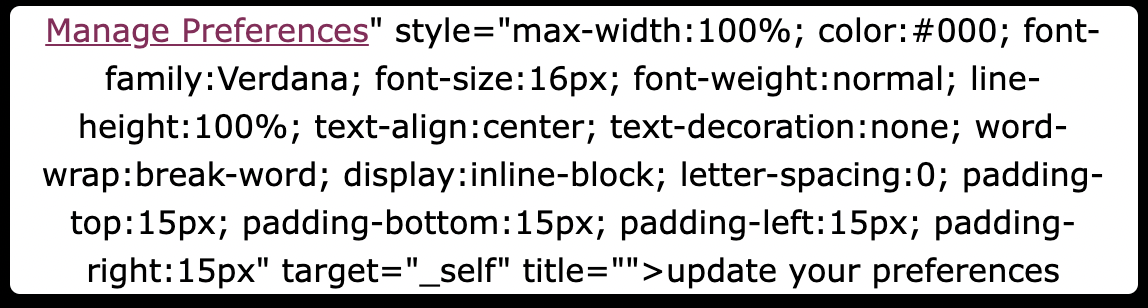


    This topic has been closed for replies.
    Best answer by Bobi N.

    @cyclist-jz 

    The link when used into buttons or imgs or linked text is different from the code you use as plain code.. so the link for preferences is {% manage_preferences_link %} or if you want to link some text, imgs or button to unsubscribe you can use {% unsubscribe_link %}

    16 replies

    Jakub
    Partner - Silver
    Partner - Silver
    December 7, 2023

    Hi Community,

    Is there a static link to update you preferences page that for example can be send by customer support to if requested by any subscribers?

    -=JB=-
    stephen.trumble
    Klaviyo Alum
    December 7, 2023

    Hey @Jakub 

    The URLs used to access the Manage Preference and the Unsubscribe page are actually uniquely generated for each of your email recipients. For this reason, it wouldn’t be possible to generate a sharable link for anyone to access them.
     

    -Stephen
    Contributor I
    September 19, 2024

    Hey @Jakub 

    The URLs used to access the Manage Preference and the Unsubscribe page are actually uniquely generated for each of your email recipients. For this reason, it wouldn’t be possible to generate a sharable link for anyone to access them.
     

    This seems crazy that we can’t have a generic link to update preferences. It seems like a very common use case - to put a page on the company website that allows you to link to subscribe/update/unsubscribe.

    Is there a way to suggest this feature?


    kaila.lawrence
    Community Manager
    Community Manager
    October 4, 2024

    @Natron S The reason this doesn’t function this way is because the uniquely generated link means Klaviyo knows who is updating their preferences without them having to input their email address. It also prevents abuse by limiting unauthorized subscribes/unsubscribes. 

    Contributor I
    October 7, 2024

    Hi Kaila,

    Yes, I understand that the unique link helps prevent abuse, but how do you propose we make this work in the real world? Throwing your hands up in the air and saying it isn’t possible is not an adequate solution.

    We are managing mailing lists of tens of thousands of subscribers. We need to be able to send them somewhere to help them manage or change their preferences without our input. And even now, if someone contacts us and asks to change their preferences, the only option is to say, “wait for the next email and then click the link.” or have us change the information by logging into Klaviyo and changing it manually.

    Thanks for the response,

    Nathan

    retention
    Partner - Platinum
    2025 Champion
    October 8, 2024

    Hi @Natron S,

    Just jumping in here, this might not be a “single page” as you mentioned, but a potential workaround:

    • If you want someone to Subscribe, you can create a Klaviyo Signup Form specifically for that and embed it on the page.
    • If you want to allow them to Unsubscribe, you can link them to your Global unsubscribe Page - you can find this in your Settings → Other → Consent Pages → “Global unsubscribe page” here: 

    And finally, if you want to mimic the “Preferences” pages - remember that all preference values are simply stored as “Custom Properties” in each Klaviyo Profile.  And similarly, if you created a Klaviyo Signup Form with the same fields/values options, you can recreate a pseudo “Preference Page” that looks/matches the same as your preference page.  The only difference would be, this Signup Form wouldn’t be “pre-filled” with the users’ existing selection and will require them to input in their email address to update.  

    If your requirements are beyond these simple solutions, then the next path is to leverage Klaviyo’s API to integrate with your own solution. The developer portal/documentation is here:

    The API lets you subscribe, unsubscribe, and update any Profile’s custom properties as you see fit - but of course, this requires developer resourcse to create a viable solution that fits your needs.  You’ll obviously have to create a solution that solves for the anonymous user as well:

    • Do people log in first to update preferences? 
    • Do they put in their email address first? 
    • Do you already know/recognize the user in some other way?  Perhaps you have a cookie/session on them as well?

    Hope this helps!

    Joseph Hsieh // retentioncommerce.com // X: @retention