


Contributor I
October 9, 2024
Solved

Issue with Syncing Custom Audience to Meta

  • October 9, 2024
  • 13 replies
  • 2124 views

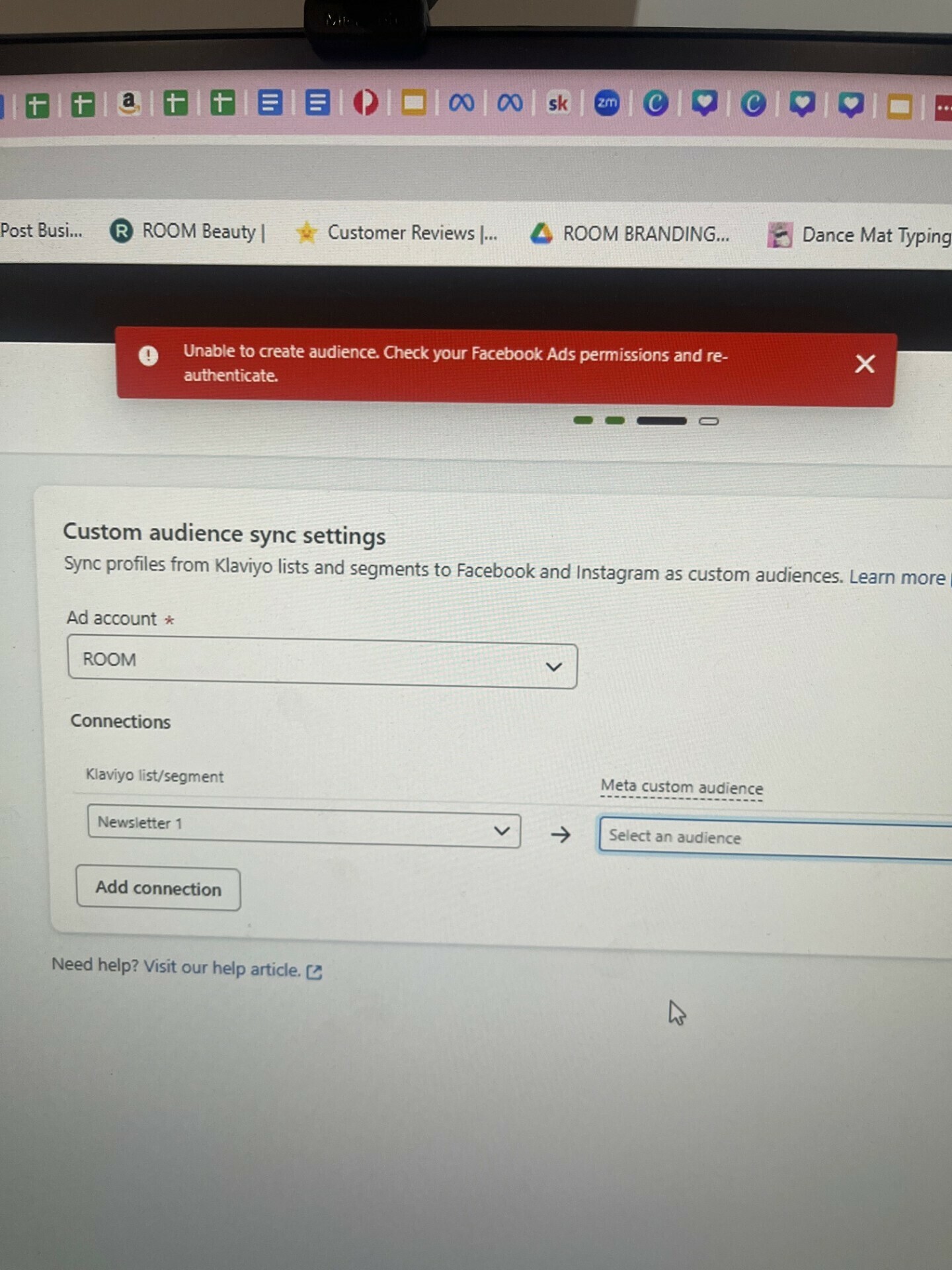
I’m trying to set up a custom audience sync to Meta and it keeps saying that “Unable to create audience.  Check your Facebook Ads permissions and re-authenticate”.

But I have checked and I have full control and authority for the Ad account that I am syncing across to.  

I’ve removed the integration and cleared caches but doesn’t work.  I’ve got over 100 people in the database.

Any ideas as to what could be happening?  
 

    Best answer by Taylor Tarpley

    Hi all! 


    Another possible cause for that message could occur because you have not yet accepted the terms of service in Meta for custom audiences.


     If that is the case, I would recommend going to the following link: https://business.facebook.com/ads/manage/customaudiences/tos/?act={id}


    Replace the "{id}" placeholder with your Facebook account ID.  Once you've accepted the terms, please try connecting the integration again and attempt to create your custom audience once again.  You should be able to do so with no errors at that point.


    Let us know if that worked! 

    -Taylor 

    13 replies

    Partner
    October 9, 2024

    Hello @Room Beauty  There seems to be some issues with permissions.

    Check this article and make sure you have correct permissions
    https://help.klaviyo.com/hc/en-us/articles/26909356614299

    https://theforms.pro
    Contributor I
    October 11, 2024

    I have the exact same issue. I have full control for every possible asset (ad account, page, etc.) on Meta. I’ve followed Klaviyo guides step-by-step, read through the article here https://help.klaviyo.com/hc/en-us/articles/26909356614299, removed the integration and re-connected about 10 times now, tried with different browsers, cleared cache, but I still keep getting the message “Unable to create audience.  Check your Facebook Ads permissions and re-authenticate”.

    Unfortunately, Klaviyo troubleshooting guide is not helpful.

    What else should I try?

    Thanks. 

    Contributor I
    October 13, 2024

    I’m getting this issue as well. I’m not able to create new connections even though I have full access to absolutely everything, and Klaviyo continues to tell me to re-check my authentication

    Taylor Tarpley
    Community Manager
    Community Manager
    October 18, 2024

    Hi all! 


    Another possible cause for that message could occur because you have not yet accepted the terms of service in Meta for custom audiences.


     If that is the case, I would recommend going to the following link: https://business.facebook.com/ads/manage/customaudiences/tos/?act={id}


    Replace the "{id}" placeholder with your Facebook account ID.  Once you've accepted the terms, please try connecting the integration again and attempt to create your custom audience once again.  You should be able to do so with no errors at that point.


    Let us know if that worked! 

    -Taylor 

    Contributor I
    October 24, 2024

    @Taylor Tarpley this worked!!

    also, this info should be accessible elsewhere, and made easier - took me a week to suss this out. 

    thanks tho, worked a treat :)

    R

    Contributor I
    November 5, 2024

    Hi all! 


    Another possible cause for that message could occur because you have not yet accepted the terms of service in Meta for custom audiences.


     If that is the case, I would recommend going to the following link: https://business.facebook.com/ads/manage/customaudiences/tos/?act={id}


    Replace the "{id}" placeholder with your Facebook account ID.  Once you've accepted the terms, please try connecting the integration again and attempt to create your custom audience once again.  You should be able to do so with no errors at that point.


    Let us know if that worked! 

    -Taylor 


    This worked for me as well. It took me to an ancient-looking version of FB Business. The documentation from Klaviyo was not helpful at all. 👎🏼


    Also, to reiterate, you must replace the ID at the end of the URL with the FB account ID. Otherwise the link will take you to an error.

    Taylor Tarpley
    Community Manager
    Community Manager
    November 5, 2024

    I will note this with our documentation team all! 


    Thanks for sharing feedback so other customers can resolve this issue faster in the future!

    Contributor I
    November 12, 2024

    Having the same issue as well. Have tried the above suggested resolutions. Can anyone help?

    November 13, 2024

    Me too! I’m clicking on the link Taylor has posted but just comes up with error. Not sure what else to do

    Problem Solver II
    November 19, 2024

    Same here….I found my Facebook account ID and I paste it in the following error.
