Answer

Item name event variables from abandoned cart (Shopify)

  • September 22, 2021
  • 1 reply
  • 502 views

Forum|alt.badge.img+3

Is there a way to pull the item names from the Started Checkout metric?

I want to show the items someone had on their cart for a text-only email.

Thanks!

Best answer by stephen.trumble

Hey @Matias 

Thank you so much for reaching out to the Klaviyo Community about using event variables in a plain text email!

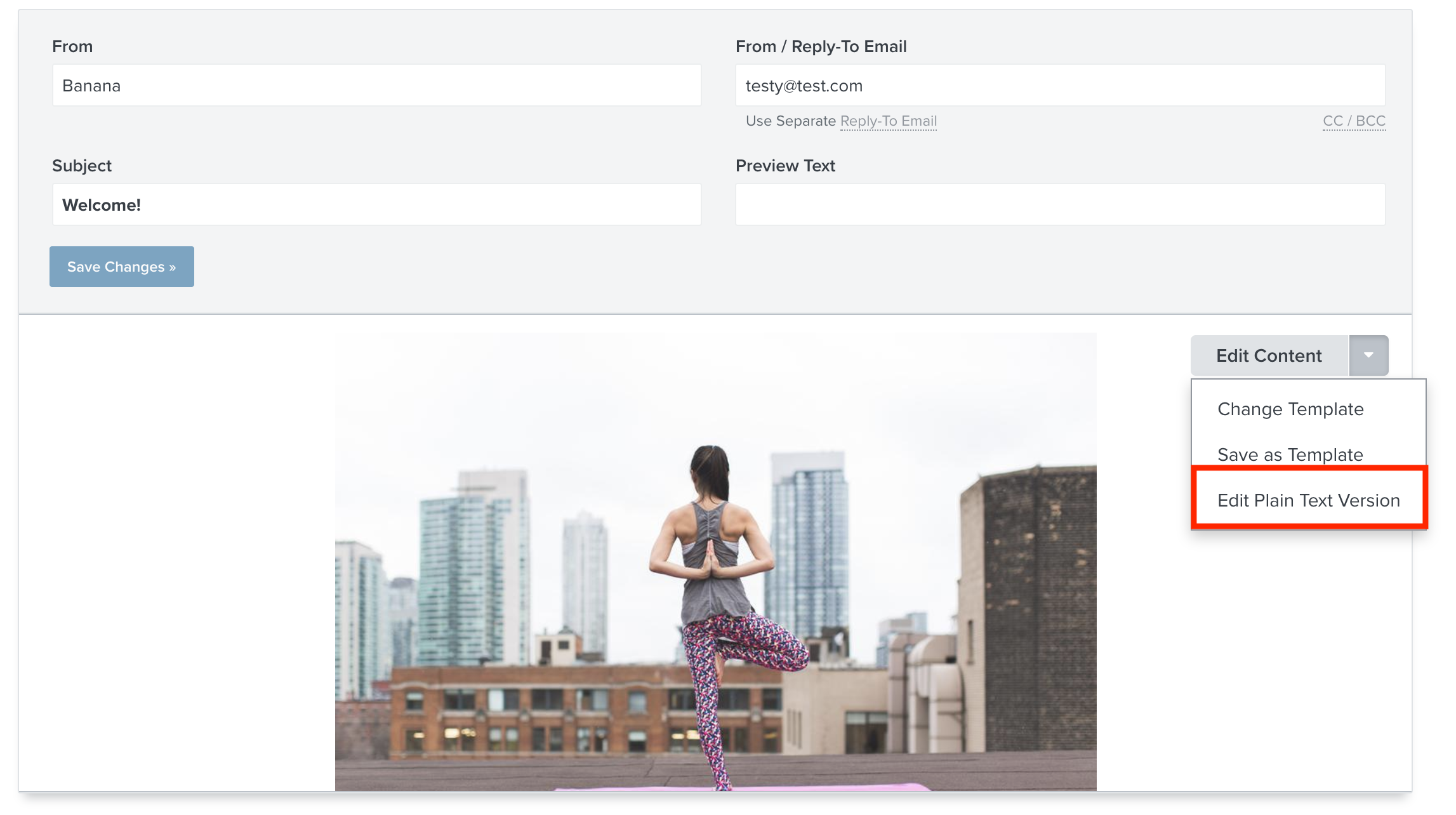
The Klaviyo Abandoned Cart Flow for some of our integrations, like Shopify, are prebuilt with the event variables already included in the plain text. Klaviyo automatically creates a plain text version of your templates to make sure your customers always receive your marketing. You can find it by opening the Abandoned Cart Flow > Click the down arrow next to Edit and select Edit plain text version. 

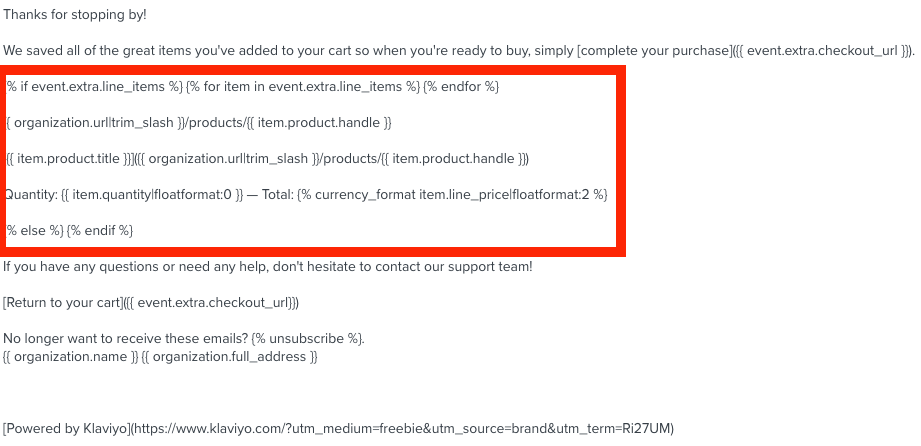
Once in the plain text editor you will see code that looks like this:

This will pull the event data for each customer from their abandoned cart to included in your email.

I hope this helps get you on the right track! Thank you for being part of the Klaviyo Community!

1 reply

stephen.trumble
Forum|alt.badge.img+60
  • Klaviyo Alum
  • Answer
  • September 23, 2021

Hey @Matias 

Thank you so much for reaching out to the Klaviyo Community about using event variables in a plain text email!

The Klaviyo Abandoned Cart Flow for some of our integrations, like Shopify, are prebuilt with the event variables already included in the plain text. Klaviyo automatically creates a plain text version of your templates to make sure your customers always receive your marketing. You can find it by opening the Abandoned Cart Flow > Click the down arrow next to Edit and select Edit plain text version. 

Once in the plain text editor you will see code that looks like this:

This will pull the event data for each customer from their abandoned cart to included in your email.

I hope this helps get you on the right track! Thank you for being part of the Klaviyo Community!