


Contributor I
February 13, 2024
Solved

Magento2 Order Confirmation Email Images

  • February 13, 2024
  • 4 replies
  • 501 views

I’m new to Klaviyo, so I apologise in advance if this is a simple one!

I’m having an issue setting up an order confirmation email within Magento2.

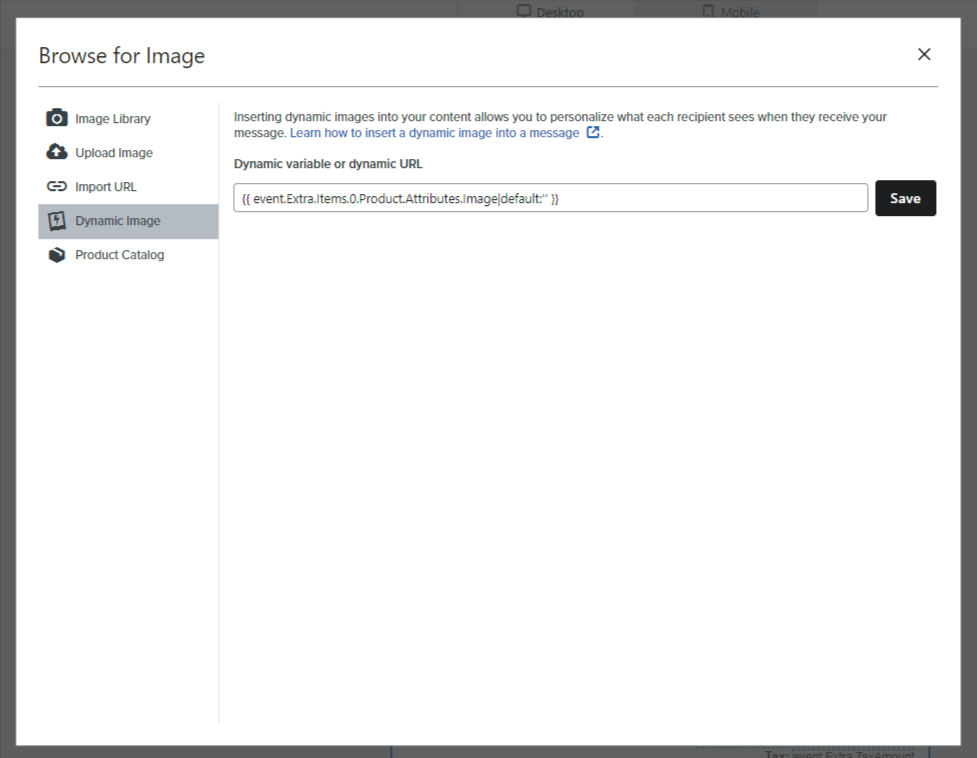
I’ve used the image variable from within the event info properties to get what I think is the correct string, however it’s not rendering the image. I used the same method to setup our abandoned cart emails without any issues, so I’m struggling to understand this!
 

    This topic has been closed for replies.
    Best answer by Josh88

    Hey @Taylor Tarpley 


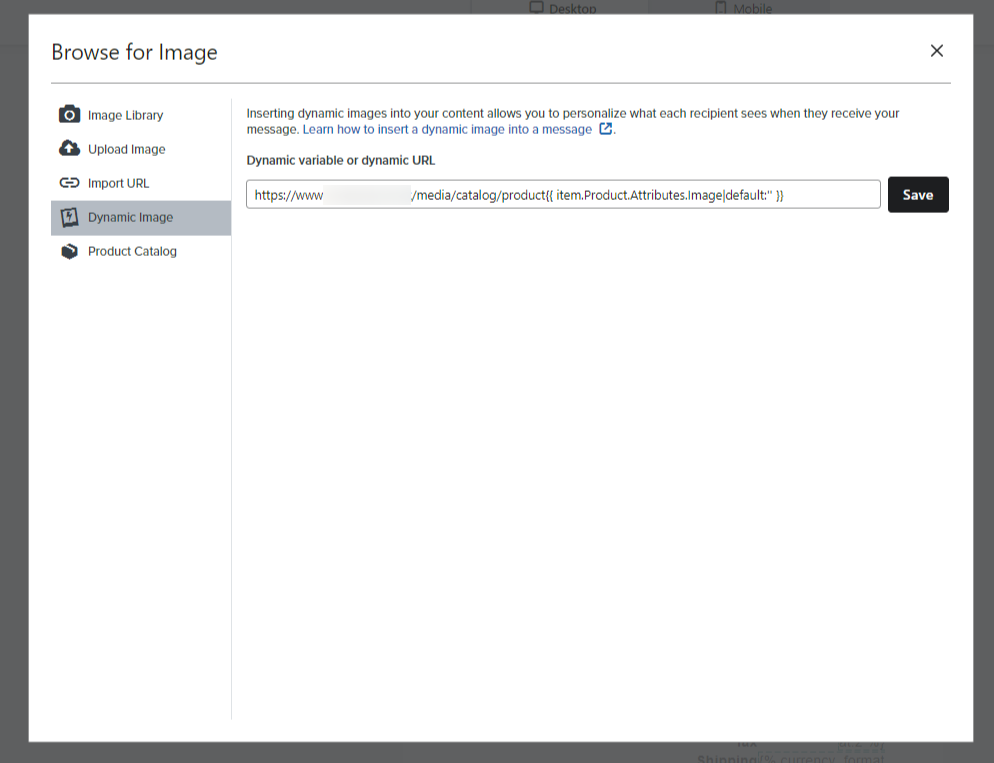
    I got to the bottom of the issue, thanks to Klaviyo support - unbeknownst to me, our site is using a custom root URL for our image directory. Adding the URL at the start of the string for the image solved the problem. Here is our solution, in case anyone else comes across a similar problem. Perhaps it will help someone else in the future.


    4 replies

    Taylor Tarpley
    Community Manager
    Community Manager
    February 14, 2024

    Hi @Josh88


    No need to ever apologize for having questions about Klaviyo, that’s why the Community exists! :) Great question! 


    Do you mind trying this code to see if it works? As documented in step 6 of our dynamic blocks documentation, it seems like you found the right variable, but you will need to apply additional adjustments to the variable! 

    {{ item.0.Product.Images|default:'' }}


    Finally, to make the most out of the Community, I’d recommend you join a user group based on your industry and learn from your peers in our Show and tell section!


    Thanks for participating in the Community! 

    -Taylor 

    Josh88Author
    Contributor I
    February 14, 2024

    Thanks for the reply Taylor!

    I’ve tried the code as suggested and that’s also not worked.


    Could how I have the Raw collection field setup be causing this?


    Taylor Tarpley
    Community Manager
    Community Manager
    February 23, 2024

    Hi @Josh88


    Sorry to hear you’re still having issues!


    If you went through the documentation in steps #3 and #4 to find the right row collection and alias to add that aligns with your specific event data and double checked that you pulled the correct variables, then something else might be the issue here! 


    I’d recommend checking through the troubleshooting steps I share with other users experiencing a similar issue in the threads below to try to fix this! 


    Let me know if this helps!

    -Taylor 

    Josh88AuthorAnswer
    Contributor I
    February 23, 2024

    Hey @Taylor Tarpley 


    I got to the bottom of the issue, thanks to Klaviyo support - unbeknownst to me, our site is using a custom root URL for our image directory. Adding the URL at the start of the string for the image solved the problem. Here is our solution, in case anyone else comes across a similar problem. Perhaps it will help someone else in the future.
