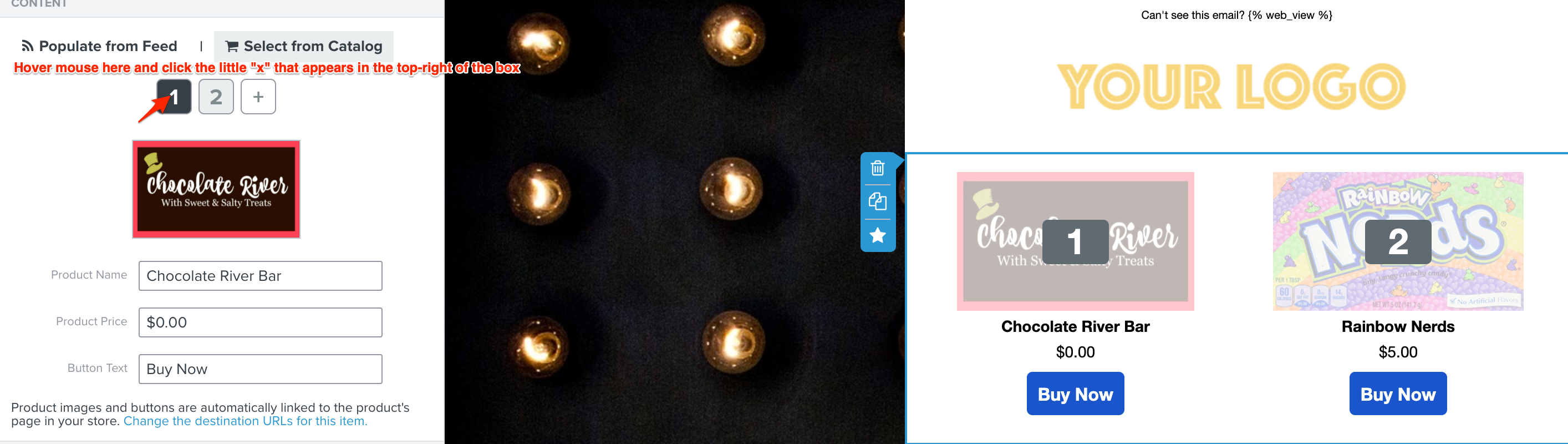
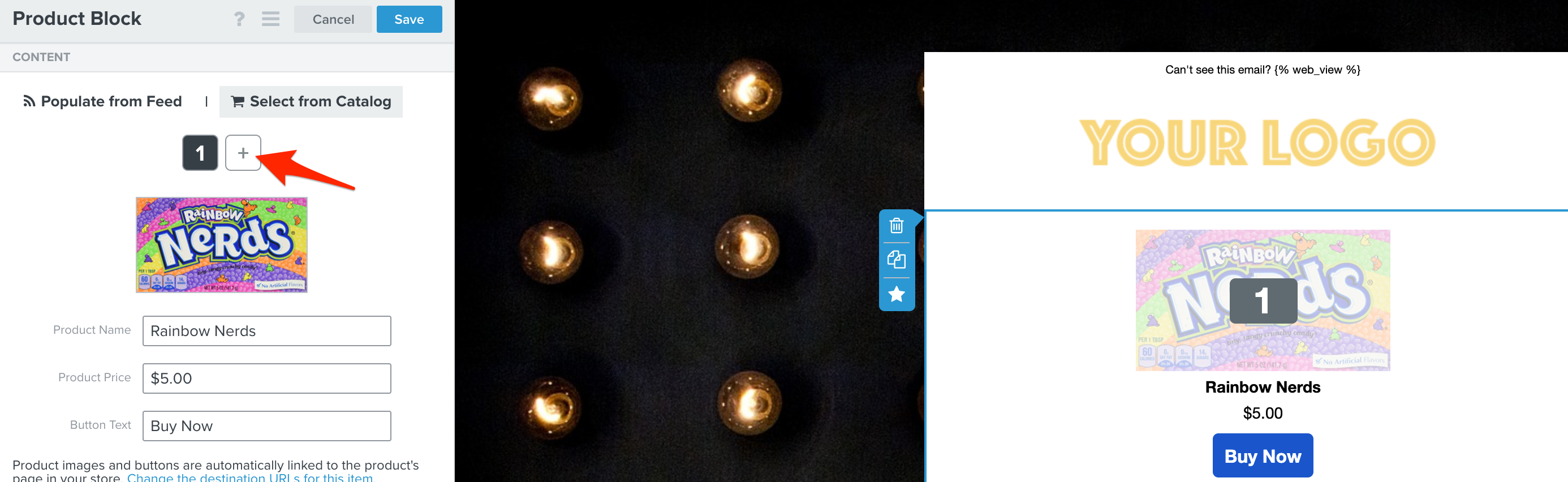
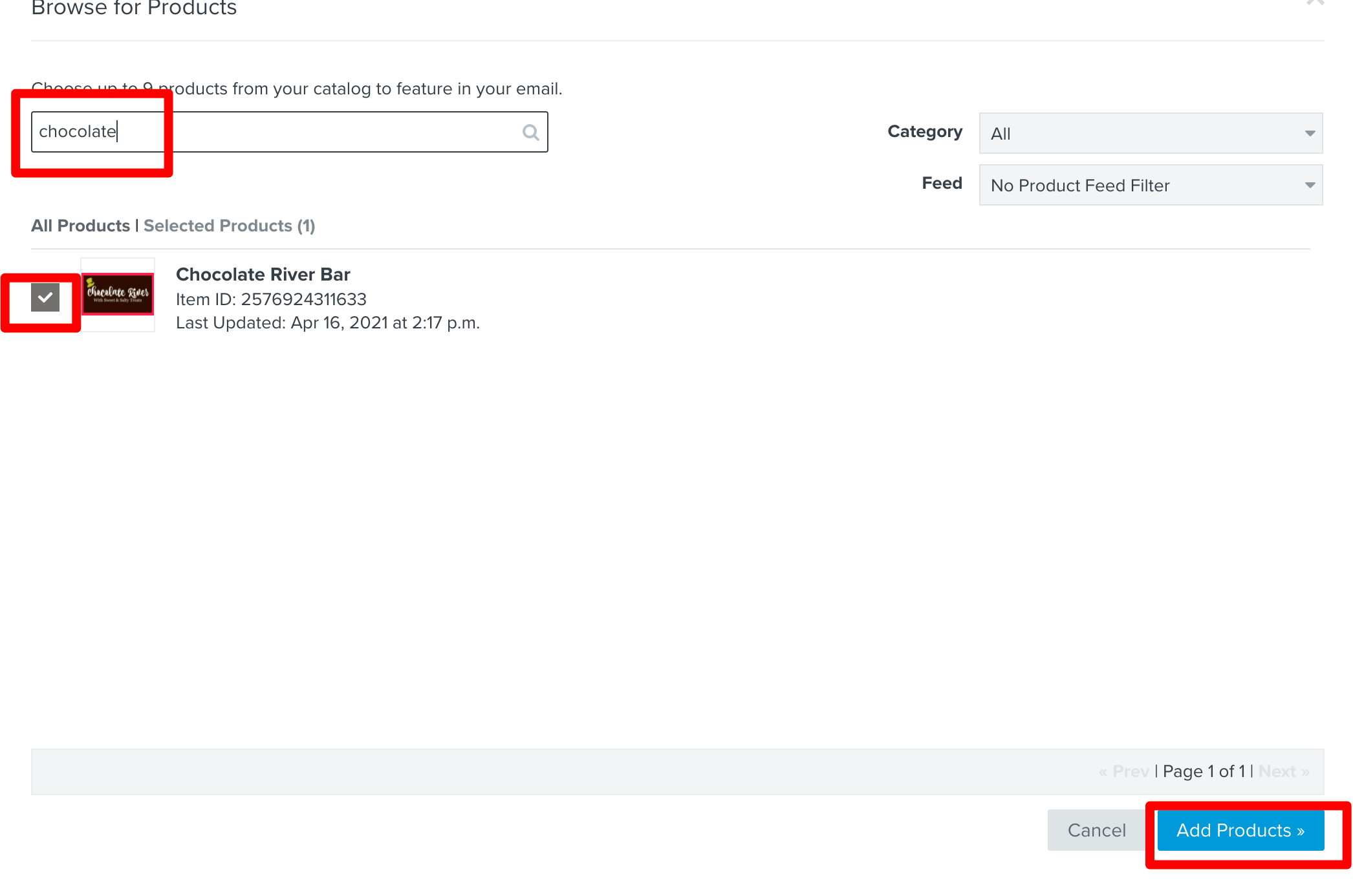
Apologies, since you already have existing items in the product block, first hover your mouse over the number “1”. You will see a little “x” icon appear over the number, click that to remove the item. Then do the same for the number 2. Repeat for any additional items in the product block that are missing images. Then re-add the same items by clicking on the “+” icon (on the right-hand side), typing in the name of the item with the missing image and re-selecting them. This will update the product block with the new product images.
Thank you for sharing this with the Klaviyo community.
Did you happen to update your product images recently? If so, if you update a product's image in your store, we will not automatically update it in Klaviyo in the product block when you use the “select from catalog” option.
If you do update the image in your store, you will have to update the image in the email template in Klaviyo as well. This can be done by clicking on the product block > select from catalog > browse for products > typing in the name of the item with the missing image and re-selecting it.
Apologies, since you already have existing items in the product block, first hover your mouse over the number “1”. You will see a little “x” icon appear over the number, click that to remove the item. Then do the same for the number 2. Repeat for any additional items in the product block that are missing images. Then re-add the same items by clicking on the “+” icon (on the right-hand side), typing in the name of the item with the missing image and re-selecting them. This will update the product block with the new product images.
I’m experiencing the same issue, except they images are broken when email is checked on cellphone. I have not updated any images, and I have only experienced this issue with my last few campaigns.
My first recommendation is to try the same solution as above. Even if the root cause of the issue is different, the solution above may still resolve the issue. If not, there are a few additional reasons why this could be happening and some additional solutions that we’ll explore.
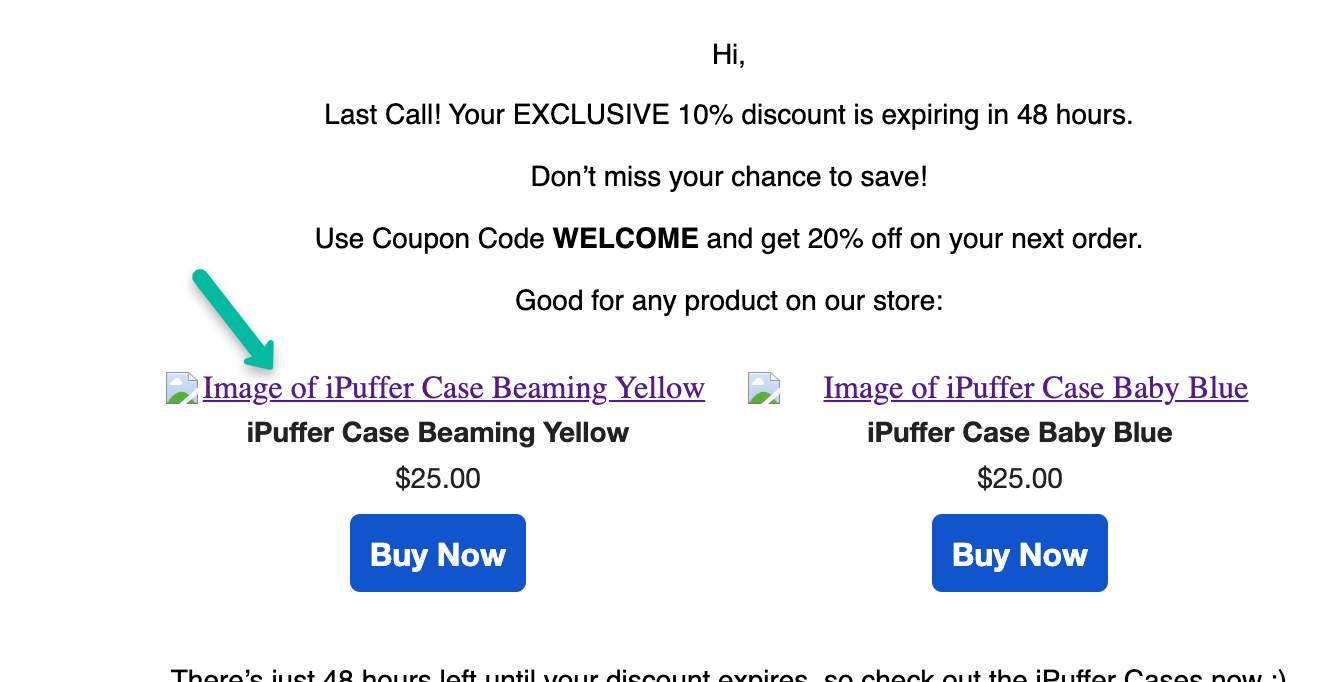
When you are working in the Klaviyo editor in the mobile view, can you see the images, or are you seeing this alt text (image of...product X,Y,Z) If you are seeing the images appear as they should in the Klaviyo editor on mobile, then this is likely an issue with the email client unable to render the images. I would ensure your images are optimized for mobile (according to our guidelines here). If you are not seeing the images in the Klaviyo editor on mobile, then I would check your catalog and ensure that these items images have properly synced over to Klaviyo. If the item images are blank in your catalog, I would try re-syncing these specific items (keep in mind, this solution would work for Shopify only). If you are not on Shopify and the image is missing for these items in your catalog, reach out to support for further assistance.
Thanks so much! I’m working with Woocommerce, btw. I tried the above steps and its still not working. Images are showing on the editor mobile. I’ve checked my catalog as well, all images are sowing properly.
Ok good to know. It sounds like it may be an issue with the particular email client rendering the images, which we do not have as much insight into. Please do share with us in the forum if you gain any helpful insight from your discussion with WooCommerce. In addition, I recommend checking out Litmus and/or Email on Acid to see how your emails preview in other email clients.
I have the same issue, somehow the images look fine when I sent myself a preview but then when sent to customers and I received it from my other email, the image appears broken. Also this, the images in the catalog don’t show, what’s seem to cause this?
Also I tried to ‘Resync Page Items’ but I don’t know if that helps in anyway, coz the images still appear broken or don’t show up at all.