At present, rounded corners or the option to apply corner radius is not supported for individual blocks outside of button blocks. One solution to this would be using a third party editing tool to create rounded corners for your graphic to be uploaded into your email template for use. The same can be done with text where you create a blank image with rounded corners while superimposing your desired text and uploading it to your email for use in an image block.
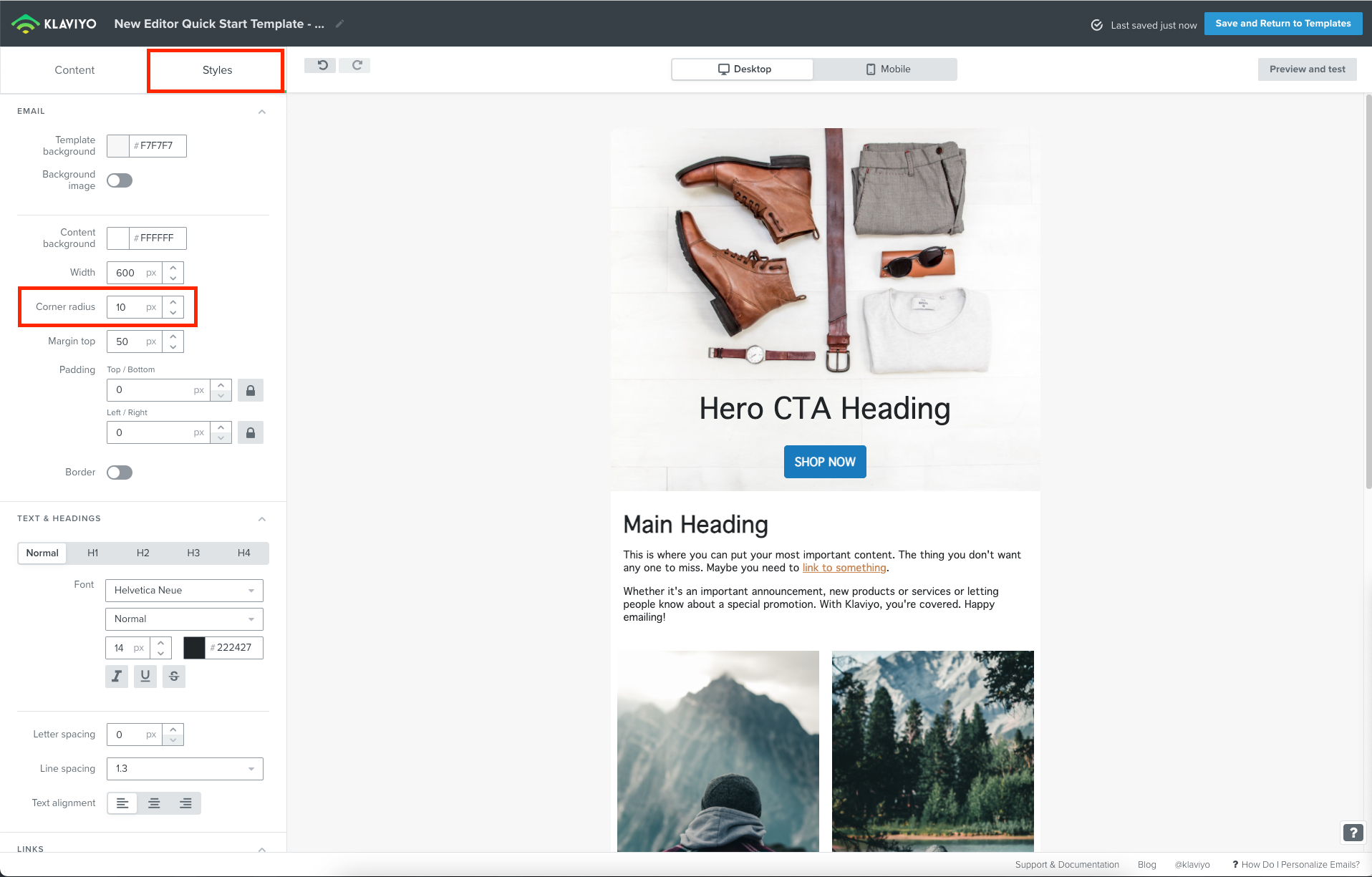
Although corner radius is not supported for individual blocks, you can actually apply corner radius to your template as a whole if you were using our new editor. This would round out the corners of your email as a whole. You can find this setting under the Styles tab in the new editor under Corner radius.
Since this isn’t a feature, I’ll share this feedback with our Product Team!
At present, rounded corners or the option to apply corner radius is not supported for individual blocks outside of button blocks. One solution to this would be using a third party editing tool to create rounded corners for your graphic to be uploaded into your email template for use. The same can be done with text where you create a blank image with rounded corners while superimposing your desired text and uploading it to your email for use in an image block.
Although corner radius is not supported for individual blocks, you can actually apply corner radius to your template as a whole if you were using our new editor. This would round out the corners of your email as a whole. You can find this setting under the Styles tab in the new editor under Corner radius.
Since this isn’t a feature, I’ll share this feedback with our Product Team!
Thank you @David To appreciate your answer. I see some creative ways to get around this. Thanks for sharing it with the product team. Would def. be helpful when we could add radius to each individual block. _Wouter
@wouter@David To we just released an update so you can now add rounded corners for input fields in forms! In the form builder, simply navigate to the styles - input field styles - corner radius.
Although the ability to apply a border radius/rounded corners for blocks have been shared with our Product Team, our colleagues are still exploring it further. When such an updates is made to our templates, we’ll be sure to update this thread when it becomes available!
On a similar note, we don’t yet have a product feature request form in this forum, but it certainly is something we’re exploring.
@David To Hi there! I am trying to add rounded corners to my blocks and came across this post. I changed the Corner radius under the Styles tab to 20 px, but it hasn’t changed the corners on any of my blocks. Any idea why it might not be functioning?
I believe you may be under the wrong impression. Applying a Corner radius under the Styles tab would apply corner radiuses to your entire email - not individual blocks. For example, after setting my corner radius to 50px you can see the bottom of my email become rounded in the example below.
Thanks for following up @David To ! After I posted I realized it was the full email and I just couldn’t see it because I had both backgrounds set to white. 🤦 I appreciate your help!