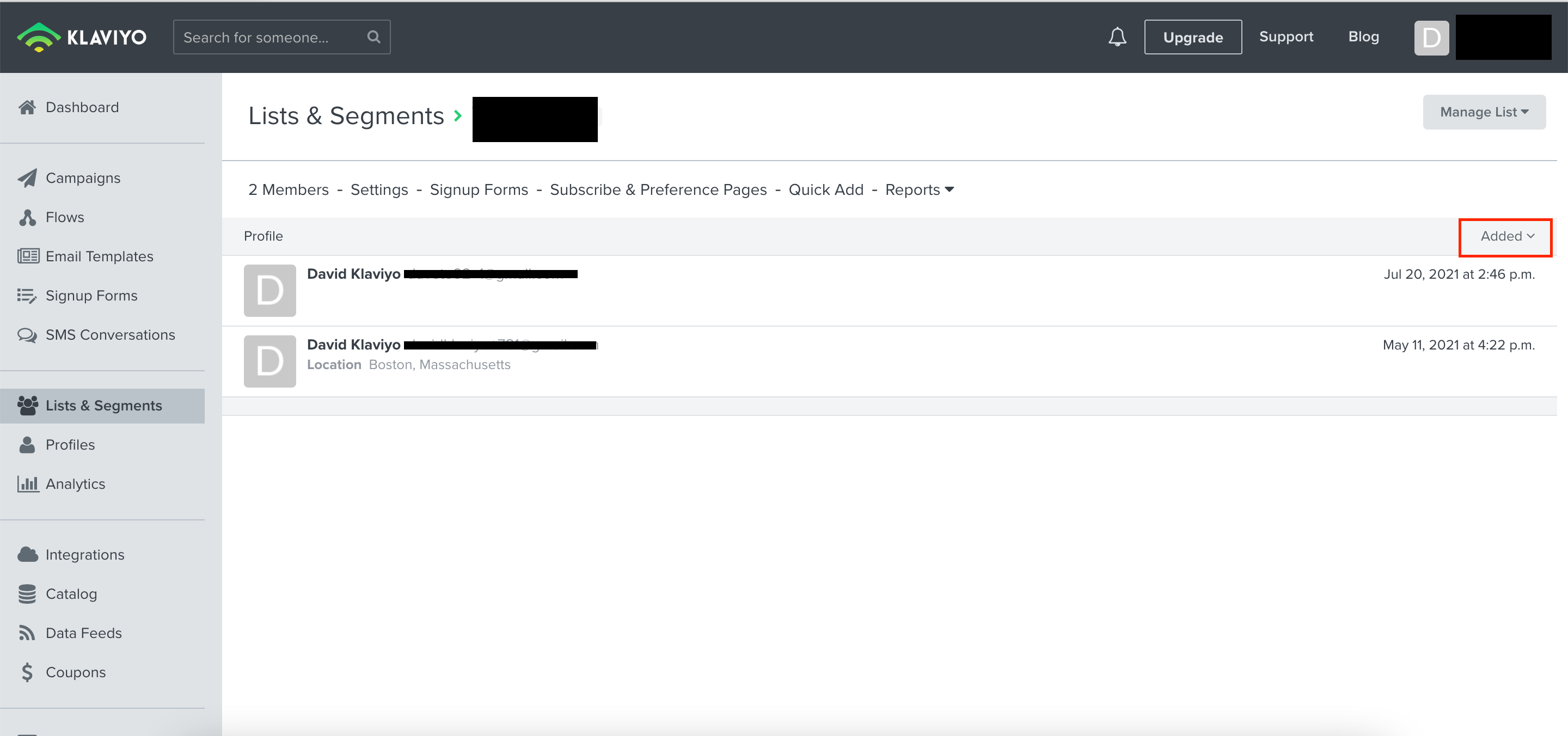
At present you would only be able to sort your List and Segments based on when a contact was added to the list or segment in either ascending or descending order. You can do this by pressing on the Added header column which will update the sorting.
For more flexible sorting such as by alphabetic order by name, I would suggest exporting the list and sorting the list within the .CSV. You can export a list or segment by select the Manage List dropdown and choosing the Export List to CSV option. This is further explained in our How to Export a List or Segment to a CSV File Help Center article.
At present you would only be able to sort your List and Segments based on when a contact was added to the list or segment in either ascending or descending order. You can do this by pressing on the Added header column which will update the sorting.
For more flexible sorting such as by alphabetic order by name, I would suggest exporting the list and sorting the list within the .CSV. You can export a list or segment by select the Manage List dropdown and choosing the Export List to CSV option. This is further explained in our How to Export a List or Segment to a CSV File Help Center article.
Thank you. I appreciate your explanation because I thought the instructions might be there somewhere but I just didn't understand the terminology. You would think that listing lists in some kind of logical orfer would have been a basic feature. Exporting then sorting is not very efficient.
Thanks for sharing your feedback with the Klaviyo Community! I’ll share your thoughts with the Product Team to explore enhancing Klaviyo in the future!