


Contributor I
January 7, 2024
Solved

Unable to upgrade billing plan

  • January 7, 2024
  • 8 replies
  • 504 views
I am trying to upgrade to a higher plan from the existing free plan. I added my billing information successfully and trying to pay.
 
When I paid the bill, I received an email to confirm my payment. When I clicked the Confirm Payment button in the email, I get the following error, thus preventing me from upgrading.
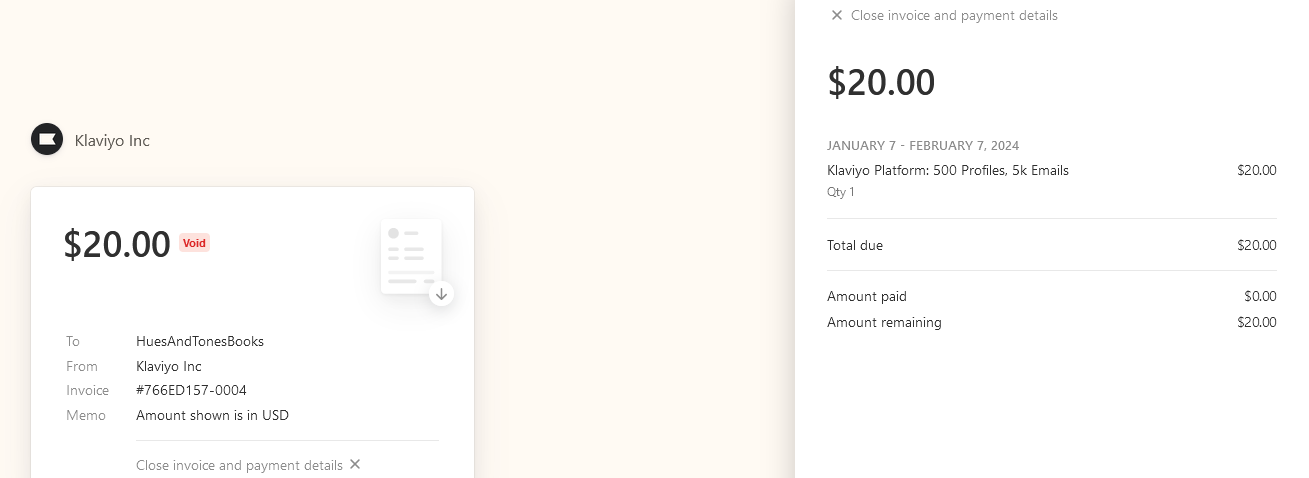


Update: I got an additional message on the Klaviyo billing page as follows:

This payment requires additional user action before it can be completed successfully. Payment can be completed using the PaymentIntent associated with the invoice. For more details see: https://stripe.com/docs/billing/subscriptions/overview#requires-action

However, this page describes updates to the payment at the back end, which is not in my control.

    Best answer by Kylie W

    Hi @HuesAndTones 

    Welcome to the Klaviyo Community and sorry to hear you are having so much trouble.

    My recommendations would be to:

    • Log out of your account and log back in
    • Try again on a different browser 
    • Clear your cache and cookies

    And if the issue persists, to contact the Support team by submitting a request form .


    I hope this helps!

    Kylie

    8 replies

    Kylie W
    Partner - Silver
    Kylie WAnswer
    Champion & Partner
    January 8, 2024

    Hi @HuesAndTones 

    Welcome to the Klaviyo Community and sorry to hear you are having so much trouble.

    My recommendations would be to:

    • Log out of your account and log back in
    • Try again on a different browser 
    • Clear your cache and cookies

    And if the issue persists, to contact the Support team by submitting a request form .


    I hope this helps!

    Kylie

    Berridge Strategy Group, Your eCommerce Partner - eCommerce results, without the Complexity | Klaviyo Partner & 2024 Klaviyo Community Champion | www.berridgestrategy.com
    Contributor I
    January 9, 2024

    Thanks, I tried all these options with the same result. I have now raised a support ticket. Hopefully it will be resolved quickly now.

    Contributor I
    December 24, 2024

    I am also getting the same error while upgrading from free plan to paid plan. (India)


    This payment requires additional user action before it can be completed successfully. Payment can be completed using the PaymentIntent associated with the invoice. For more details see: https://stripe.com/docs/billing/subscriptions/overview#requires-action


    What is the solution on it? Thank you in advance!

    chloe.strange
    Community Manager
    Community Manager
    December 27, 2024

    Hi ​@AguanteIndia

    Unfortunately this is due to subscription payment limitations set by the Reserve Bank of India (RBI). All in-app payments will fail if the issuing bank is an Indian bank. This is not a Klaviyo limitation specifically, but rather a restriction placed on subscription payments made by the RBI:

    The only way to resolve this issue would be to use an international card from a non-Indian bank.

    ~Chloe

    Contributor I
    November 24, 2025

    It is disappointing that Klaviyo has not fixed this issue for recurring payments in India and is not offering any alternatives like PayPal or UPI based payments too. 

    Contributor I
    January 28, 2026

    I am trying to upgrade to a higher plan from the existing free plan. I added my billing information successfully and trying to pay.

    When I paid the bill, I received an email to confirm my payment. When I clicked the Confirm Payment button in the email, I get the following error, thus preventing me from upgrading.


    Kindly help us with these issue as soon as possible

    Byrne C
    Community Manager
    Community Manager
    January 29, 2026

    Hi ​@MANISH GAUR,

    That error message usually pops up when attempting to pay using a card issued by the Reserve Bank of India. Unfortunately, payments will fail when the issuing bank is an Indian bank. If you have any cards that are from a bank outside India, we recommend paying with those. The error should go away in that instance.

    Contributor I
    April 29, 2026

    Is there no way to upgrade the plan for any user based off India? Even a one time payment every month is not possible?