Contributor I
April 2, 2022
Solved

Welcome Series Problem-Not Receiving the Welcome Email

  • April 2, 2022
  • 7 replies
  • 914 views

Hi Klaviyo,


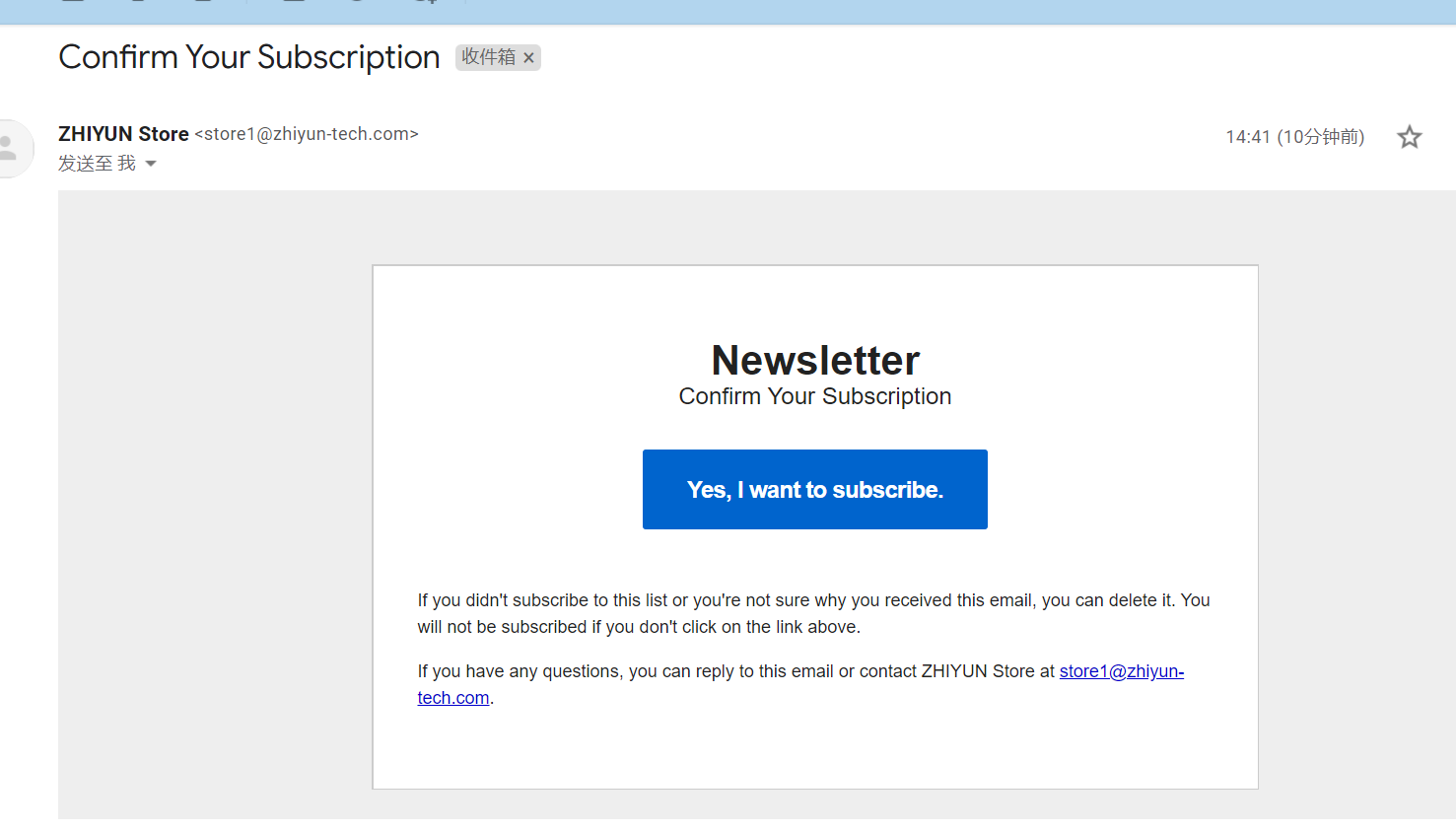
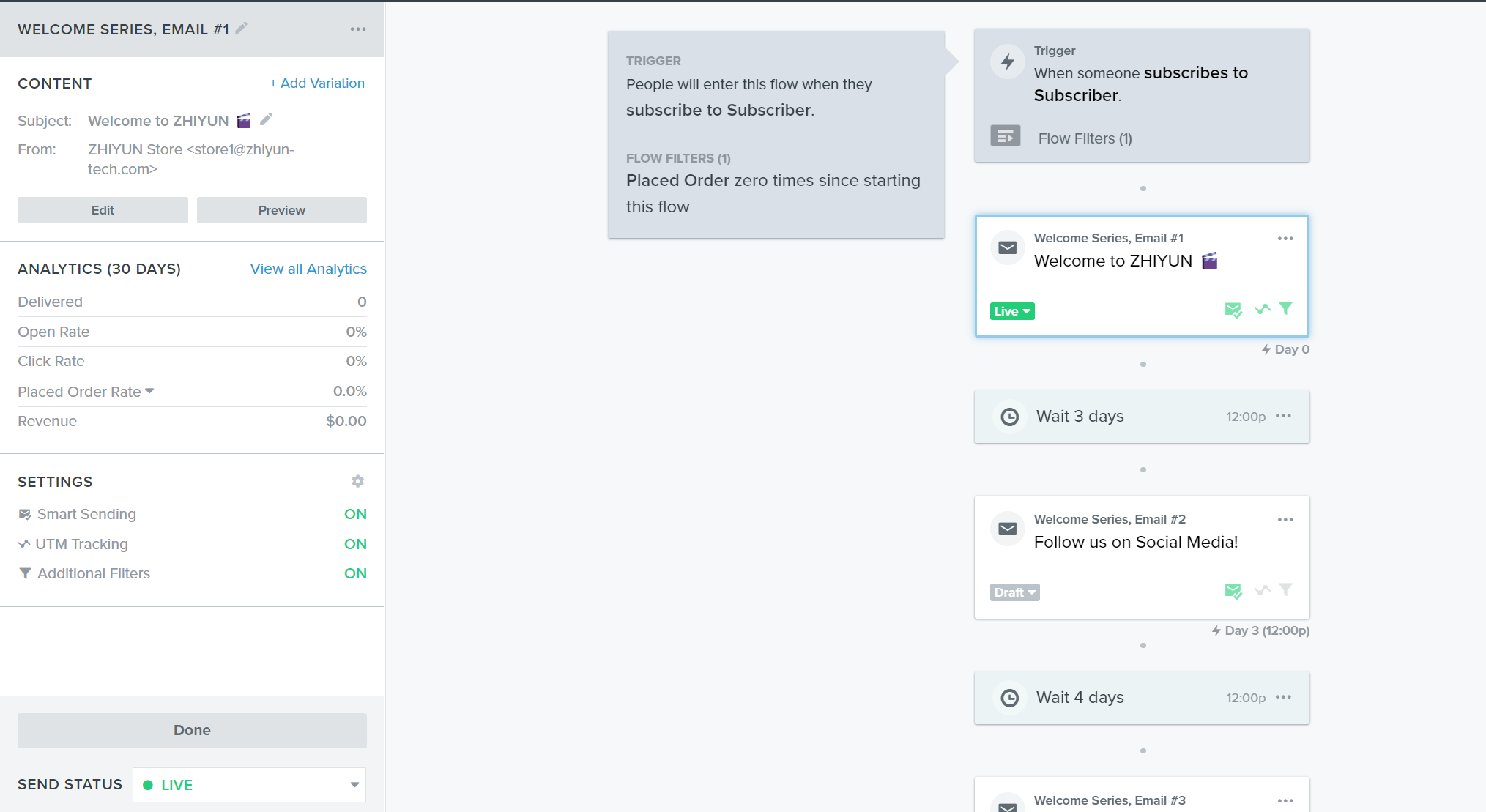
I set up a pop-up email and welcome email. But when I subscribed with a totally new email address, I did not receive my welcome email but a subscribe confirmation email. Here are the screenshots of the setup. 


What I set up
 

    Best answer by emma.owens

    Hi ​@NicolineLage ! 

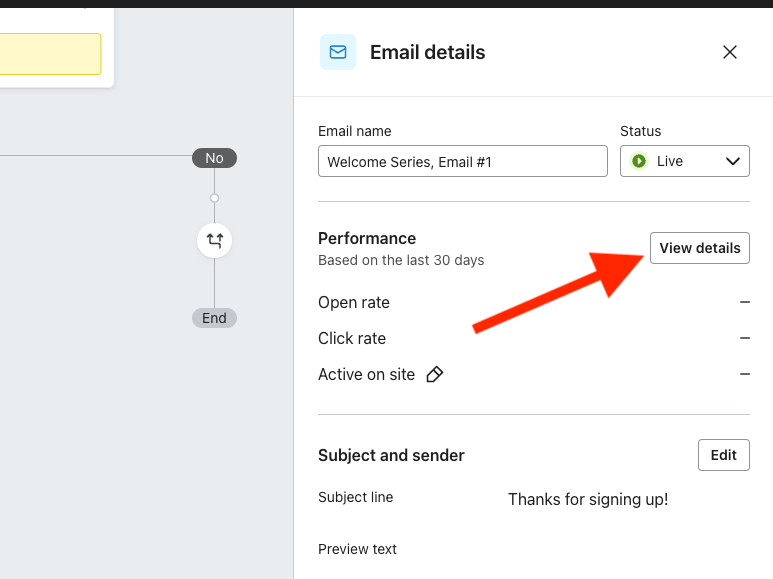
    Jumping in for Stephen here - are you able to confirm what the skip reason was for this specific flow email? You can access this information by going to your Flow and clicking on the flow email. On the right hand side, select ‘View Details’: 

    Then go to the ‘Recipient activity’ tab and click into the ‘Skipped’ bucket: 

    Here is where you will see all of the skipped profiles, and it will give the skip reason - all potential skip reasons can be found in our Help Center Guide here


    7 replies

    stephen.trumble
    Klaviyo Alum
    April 5, 2022

    Hey @Charlene 

    Thank you for such a great question, happy to help with your welcome series flow!

    The number 1 issue most people have is that your signup form is redirecting to a different list than what you are using for your welcome series flow. I would check what list your signup form is directed to by selecting the signup forms tab on your dashboard. This will show you the forms you have created and what list it is attributed too. Most likely the default of “Newsletter” was the list customers were being added too, which is different than the Subscribers list you showed above.

    Check that out and let us know if that is was the issue!

    -Stephen
    CharleneAuthor
    Contributor I
    April 7, 2022

    Yes, I think I might have chosen the wrong list. But I was unable to change the trigger. Should I create another list?

    stephen.trumble
    Klaviyo Alum
    April 7, 2022

    Hey @Charlene 

    Unfortunately you will either have to change the signup forms list or create a new flow with the correct list as the trigger. 

    -Stephen
    NicolineLage
    Partner - Gold
    Partner - Gold
    January 8, 2025

    Hi ​@stephen.trumble 
    I have a different scenario, where no-one receives the welcome flow despite being on the correct list. Results from the email shows that all emails were skipped. This is a new Klaviyo client, so I believe there is a problem with deliverability performance. Is there a way to mend this process and make sure emails are in fact delivered to new subscribers who sign up in a pop-up and are included in a welcome flow? 

    Nicoline Lage - Klaviyo Gold Partner & Marketing Automation Specialist at Searchmind
    emma.owens
    Community Manager
    Community Manager
    January 9, 2025

    Hi ​@NicolineLage ! 

    Jumping in for Stephen here - are you able to confirm what the skip reason was for this specific flow email? You can access this information by going to your Flow and clicking on the flow email. On the right hand side, select ‘View Details’: 

    Then go to the ‘Recipient activity’ tab and click into the ‘Skipped’ bucket: 

    Here is where you will see all of the skipped profiles, and it will give the skip reason - all potential skip reasons can be found in our Help Center Guide here


    NicolineLage
    Partner - Gold
    Partner - Gold
    January 10, 2025

    Hi ​@emma.owens 

    Thank you for jumping in here! Your response was very helpful!

    Your guide gave me a response to my skipped profiles and it turned out to be a Syntax error. I Googled what a syntax error could be in Klaviyo, and it could either be the flow trigger or something in the email itself. It turned out to be an error in a personalisation field in the email copy.


    This was a teaching moment for me and I now understand how to troubleshoot email deliverability (or lack of deliverability).

    So thank you again! 😊

    Nicoline Lage - Klaviyo Gold Partner & Marketing Automation Specialist at Searchmind
    emma.owens
    Community Manager
    Community Manager
    January 13, 2025

    @NicolineLage I am so happy to hear that, and awesome that you were able to identify where that syntax error was coming from - thats the hardest part!

    As always, if you are ever stuck or unsure of next steps please don’t hesitate to reach out to our Support Team or post in the Community again :)