


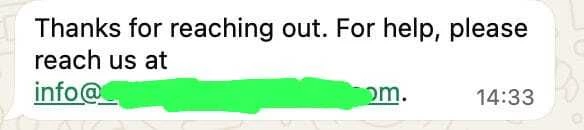
When a customer sends a message via WhatsApp, the account automatically sends a message like this. Where can I disable or modify this? Is this problem caused by the keyboard or meta? There's no such setup in the keyboard or meta automation systems. I would appreciate your help.
Best answer by william111ttt23
This is usually not from the keyboard. Check WhatsApp Business → Settings → Business tools for Greeting/Away messages, and also check any Meta Business Suite or third-party automation connected to the account. The automatic reply is likely coming from one of these settings.
This automatic reply is most likely coming from Klaviyo’s autoresponder settings, not from the phone keyboard, and usually not from a separately configured Meta automation.
For WhatsApp, these auto-replies can be tied to the same autoresponder settings used for SMS and conversations. The places to check are:
If Inbox or two-way messaging is enabled, also check the Inbox or SMS autoresponder settings
Sometimes this message is enabled by default, so even if nothing was explicitly set up in Meta or on the device, Klaviyo may still be sending it.
If the customer want to change or disable it, they should start in those Klaviyo settings. If they do not see a dedicated WhatsApp-only control, that may be because the autoresponder content is currently shared with the SMS or conversations setup. Have them check there first!
This automatic reply is most likely coming from Klaviyo’s autoresponder settings, not from the phone keyboard, and usually not from a separately configured Meta automation.
For WhatsApp, these auto-replies can be tied to the same autoresponder settings used for SMS and conversations. The places to check are:
If Inbox or two-way messaging is enabled, also check the Inbox or SMS autoresponder settings
Sometimes this message is enabled by default, so even if nothing was explicitly set up in Meta or on the device, Klaviyo may still be sending it.
If the customer want to change or disable it, they should start in those Klaviyo settings. If they do not see a dedicated WhatsApp-only control, that may be because the autoresponder content is currently shared with the SMS or conversations setup. Have them check there first!
Temi@Klaviyo
I checked Settings → WhatsApp → Keyword Responses → Autoresponder and there's no such setup there.
This is usually not from the keyboard. Check WhatsApp Business → Settings → Business tools for Greeting/Away messages, and also check any Meta Business Suite or third-party automation connected to the account. The automatic reply is likely coming from one of these settings.