

New Member
March 12, 2021
Solved

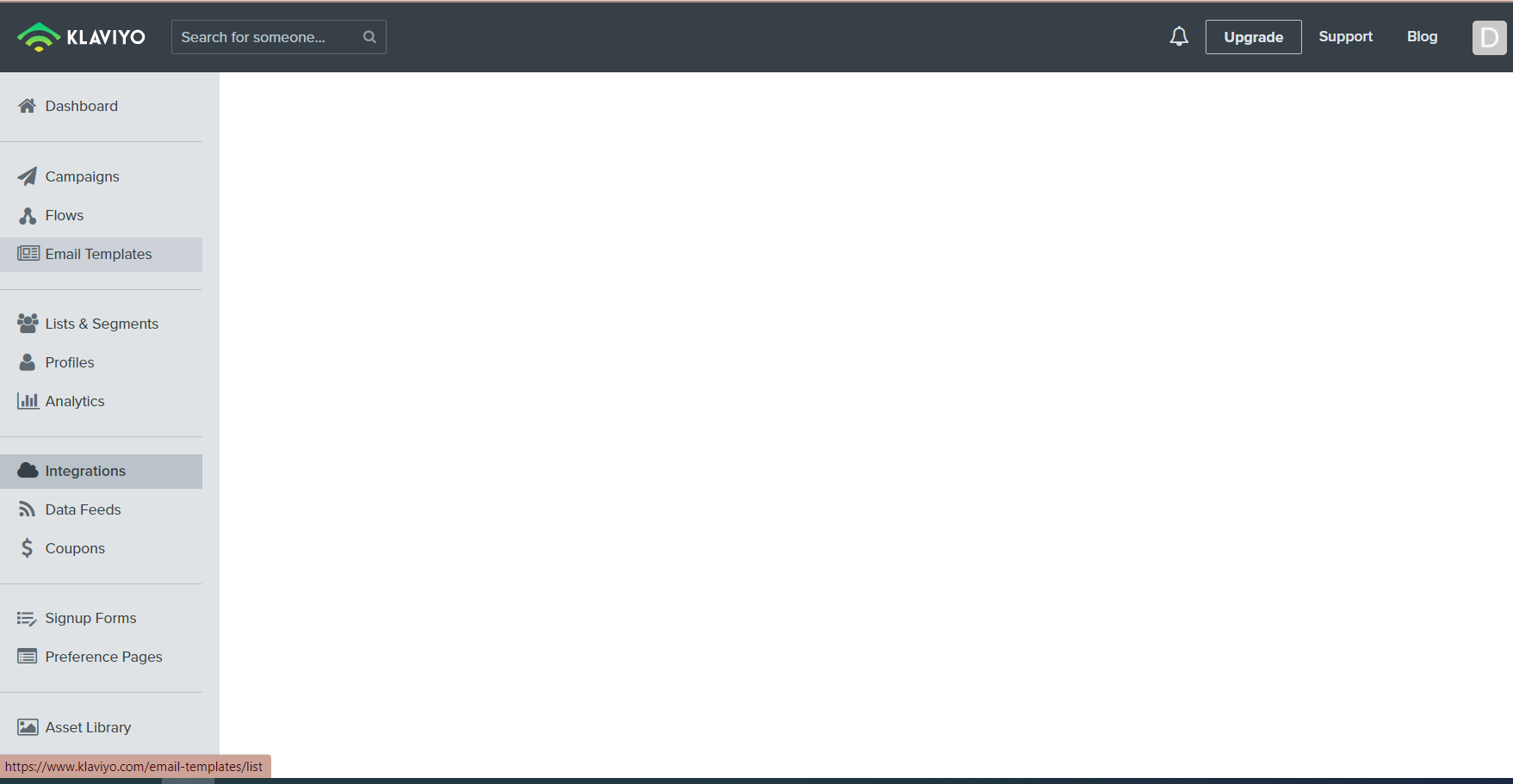
Why is my Klaviyo Account not loading anything but the menu screen?

  • March 12, 2021
  • 8 replies
  • 2008 views

When I log into Klaviyo I'm greeted with the side menu but none of the information on the page loads? Can anyone help me with this issue?.🙏


This is what I get when I open Klaviyo on all pages except: profiles, data feeds, and preferences. ⬇

 

    This topic has been closed for replies.
    Best answer by David To

    Hello @Dylanv,

    Thanks for sharing this issue within the Community! Following up with what @julie.accardo had mentioned, I would also recommend trying taking the following steps:

    • Fully clear the cache on your browser, fully closing the browser, and logging back into Klaviyo
    • Double checking that your ad blockers, anti-viral softwares, or network filters/firewalls aren’t preventing these pages to load
    • Ensuring that the browser you are using is up to date

    Let us know how this goes or if you’ve already found a solution to share with the rest of the Community.

    -David

    8 replies

    julie.accardo
    Klaviyo Employee
    Klaviyo Employee
    March 13, 2021

    Hi @Dylanv,


    Few things come to mind for initial troubleshooting:

    1. Check your “role” within the Klaviyo platform to ensure that you have the appropriate user privileges to be able to do/see what you need to within the system.
    2. Sign in through an incognito browser to see if you are experiencing the same issues.

    If this issue persists, I’d recommend reaching out to Klaviyo support at success@klaviyo.com for further troubleshooting.


    Have a great day!

    Julie

    JA
    David To
    Klaviyo Employee
    David ToAnswer
    Klaviyo Employee
    April 27, 2021

    Hello @Dylanv,

    Thanks for sharing this issue within the Community! Following up with what @julie.accardo had mentioned, I would also recommend trying taking the following steps:

    • Fully clear the cache on your browser, fully closing the browser, and logging back into Klaviyo
    • Double checking that your ad blockers, anti-viral softwares, or network filters/firewalls aren’t preventing these pages to load
    • Ensuring that the browser you are using is up to date

    Let us know how this goes or if you’ve already found a solution to share with the rest of the Community.

    -David

    Omar
    Partner - Platinum
    2025 Champion
    May 22, 2021

    I've actually had a similar problem but only for account pages. tried various browsers and incognito without any luck. In the html it was showing display:none for the main area. I'm assuming it's either an A/B test running or something on Klaviyo side. Disabling the display:none gives me access again. 

    Helping E-commerce brands maximize Lifetime Value & Profits with Klaviyo, CRO & CVO - Get your free Audit - https://link.polarisgrowth.com/free-audit
    Contributor I
    October 11, 2021

    Hi!


    I’m having this issue as well where nothing’s loading on the dashboard page nor any of the other tabs in Klaviyo. I’ve tried all the suggested steps listed above. Has anyone else tried the steps listed above and not had success? How can I access Klaviyo again?


    Thank you,


    Charles 

    Taylor Tarpley
    Community Manager
    Community Manager
    October 13, 2021

    Hi @ccteam


    Very sorry to hear you’re experiencing some issues logging into your account! To confirm, have you tried walking through all these comprehensive steps? I added onto some of David’s previous suggestions to check all possibilities! 

    • Cleared your cache and cookies
    • Logged out and back into your Klaviyo account
    • Double checking that your ad blockers, anti-viral softwares, or network filters/firewalls aren’t preventing these pages to load
    • Ensuring that the browser you are using is up to date
    • Try logging in via an Incognito Window 


    If you are still experiencing issues after walking through all these steps again, I would check out this Community Post that had similar issues and found a solution via these troubleshooting steps! 


    Thanks for being a part of our Community! 

    -Taylor 

    MariaMG
    Contributor III
    Contributor III
    October 29, 2021

    Hi!


    I’m having this issue as well where nothing’s loading on the dashboard page nor any of the other tabs in Klaviyo. I’ve tried all the suggested steps listed above. Has anyone else tried the steps listed above and not had success? How can I access Klaviyo again?


    Thank you,


    Charles 

    Did you find a solution? I’m still not able to see anything. Just wondering….

    Maria M.
    Contributor I
    February 7, 2022

    im facing the same issue i tried each and everything but still nothing is loading there.please help me out

    MariaMG
    Contributor III
    Contributor III
    February 7, 2022

    Hi there, after much searching, this is the solution I found. It was a while back, and I don’t remember specifically why it happened. I am on an older Mac mini, and found this solution somewhere, it worked for me. Good luck!


    Maria M.