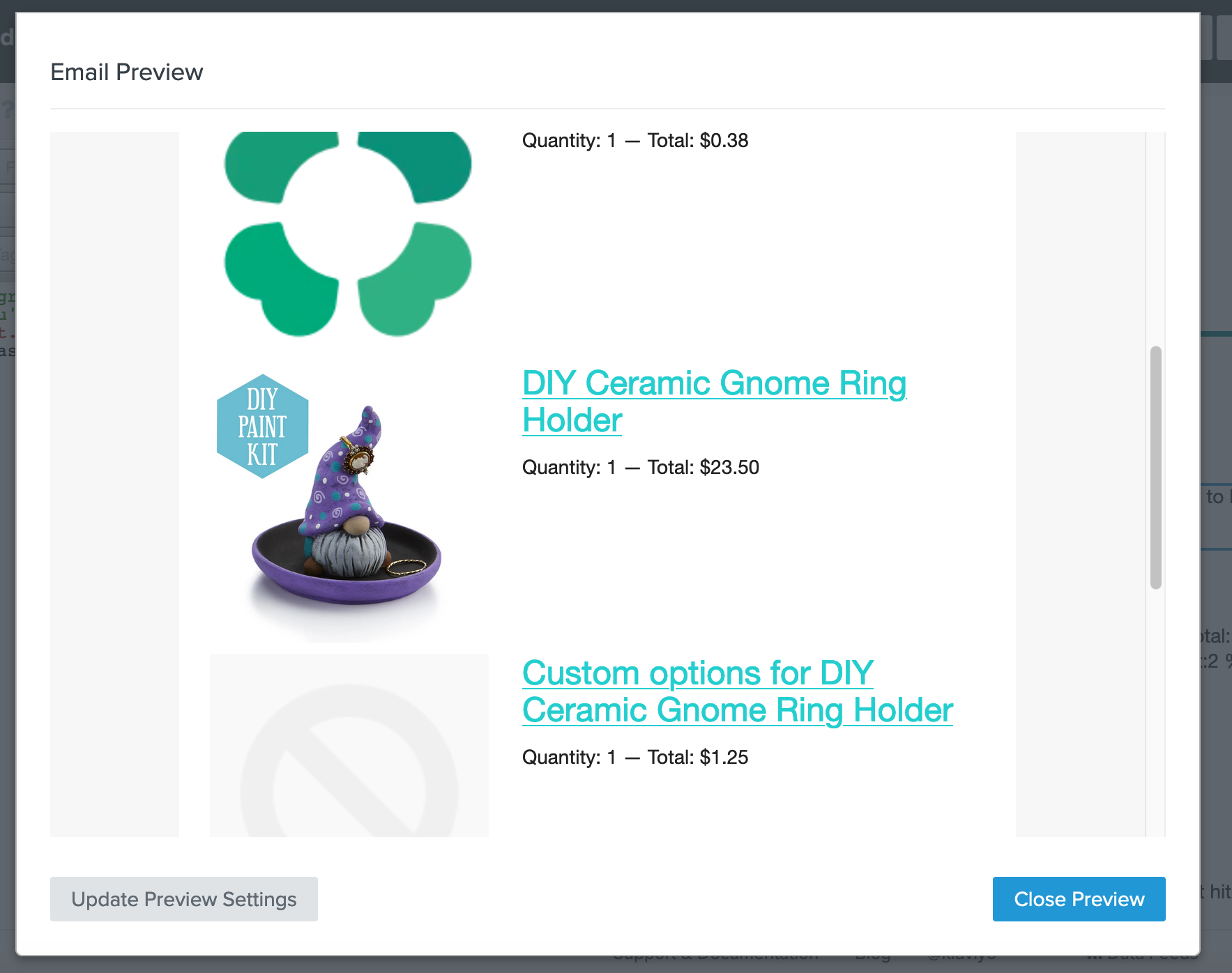
I am wondering if it is possible to exclude certain items from the dynamic table block for the abandoned cart e-mails. Or only include certain items/ collections. These are items that are “in” their cart but I do not want to send them to encourage them to finish checking out. For example I have the cloverly app for offsetting carbon footprint for shipping and I also have an app that I use to have multiple options for products. I don’t want these items showing in the abandoned cart e-mail. Is there a way to go about excluding these?
@tangleartistry There is a way, but it requires some coding. It’s actually quite interesting to achieve.
If you have multiple different products that you want to exclude from the dynamic table block, the easiest way to do it is to tag those products in Shopify, and then use that tag to exclude the products.
Let’s say for example you tag them with “ac_exclude”.
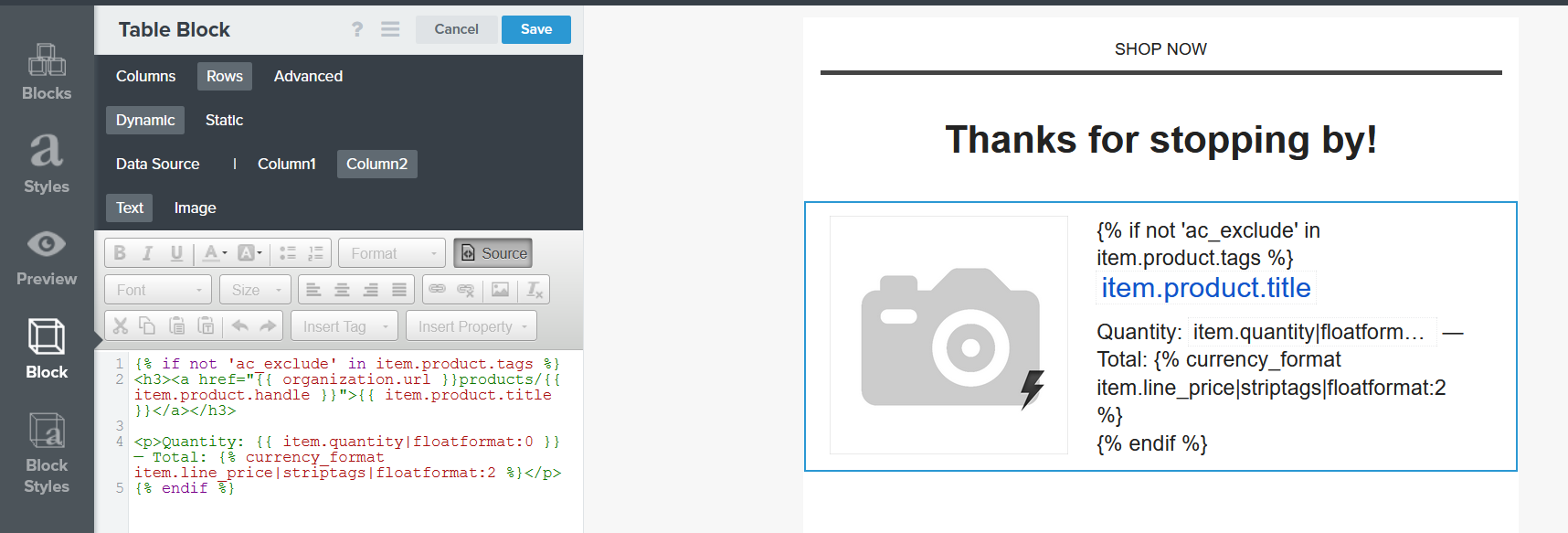
Then, in the dynamic table block, you need to wrap the text part (Title, Quantity, Price, etc.) in an “IF” statement that should look like this:
{% if not 'ac_exclude' in item.product.tags %} <h3><a href="{{ organization.url }}products/{{ item.product.handle }}">{{ item.product.title }}</a></h3>
This will check for each product if “ac_exclude” is one of the tags. If the product doesn’t have the “ac_exclude” tag, it will be shown in the feed.
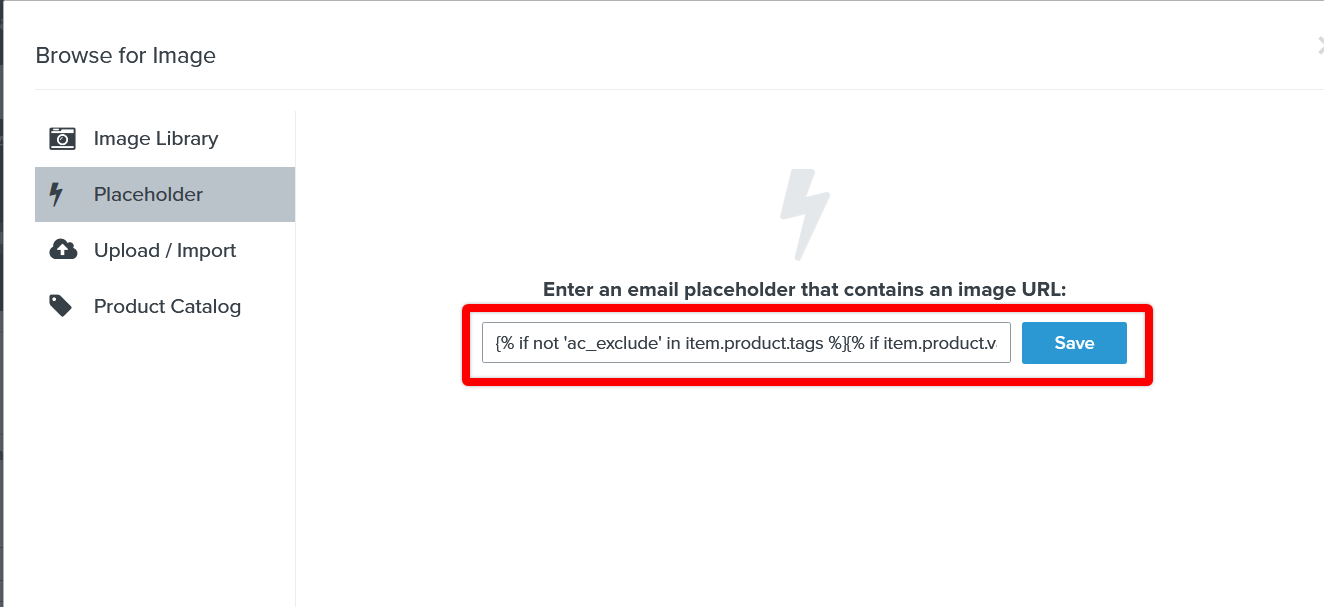
For the image part, you need to wrap the existing snippet, in a new “IF” statement that should look like this:
{% if not 'ac_exclude' in item.product.tags %}{% if item.product.variant.images.0.src %}{{item.product.variant.images.0.src}}{%else%}{{item.product.images.0.src|missing_product_image}}{%endif%}{%endif%}
Hope that you’ll succeed in implementing this!
Joseph Hsieh // retentioncommerce.com // X: @retention
I have a similar issue where I need to exclude products variants but you can’t tag variants in Shopify. How would one adapt the code to exclude based on the variant name?
Let me see if this helps. While we do sync variants and their images to the catalog in Klaviyo they aren't accessible via a Product Feed. I'm afraid there isn't a specific configuration example but I can provide you with our documentation for how to utilize a feed in Klaviyo and can then work backwards from there: https://help.klaviyo.com/hc/en-us/articles/360033046811-Add-a-Custom-Web-Feed-to-a-Flow-Email
There are a few different ways you could set this up but the high level overview is to take a piece of identifying product information from the event data in your flow (e.g. variant ID or variant color) and look that up in the web feed. The corresponding record in the webfeed would contain an array of other product variants of the same color which could then be used to populate some images/links in your email template. Because this array of products with the matching color would likely also contain the original product being looked up you'd want to also include the product ID for each entry in the array so you could add some logic in your template to exclude the original product that was purchased.
@alex.hong or @David To, in my Abandoned Cart email, I have a dynamic table; the left column is the product image and the right column is the product details (price, reviews, quantity, etc). I’m able to successfully hide the product detail from the right column (since I can add the “hide” code snippet), but I cannot hide the product image associated with that product.
Any ideas on how to hide the product image as well?
As @retention mention in his first response, for the image part, you need to wrap the existing snippet, in a new “IF” statement that should look like this:
{% if not 'ac_exclude' in item.product.tags %}{% if item.product.variant.images.0.src %}{{item.product.variant.images.0.src}}{%else%}{{item.product.images.0.src|missing_product_image}}{%endif%}{%endif%}
@retention this is super useful, is there any way we can add multiple tags in the if statement?
I tried adding “ or ‘tag2’ “ but that does not work obviously… Or maybe are other product attributes than tags we can use this in this statement like if the product belongs to a collection? I also tried item.product.collection and iten.product.collections but that did not work either.
I have the same issue with excluding our “Shipping Insurance” from Klaviyo abandoned cart emails. I changed the codes provided in this conversation before:
and changed the image to the provided dynamic variables:
{% if not 'ac_exclude' in item.product.tags %}{% if item.product.variant.images.0.src %}{{item.product.variant.images.0.src}}{%else%}{{item.product.images.0.src|missing_product_image}}{%endif%}{%endif%}
It worked fine that the product is not included anymore but all orders what had included the “Insurance” have now the product name with this small sample image on the left bottom under the normal images. I have absolutely no idea how to remove that? Can anybody help me out? Thanks so much!!