Active Contributor I
June 12, 2023
Solved

GA4 Source/medium discrepancy and UTM Param Set-up Confusion

  • June 12, 2023
  • 25 replies
  • 6468 views

Hi,


I’d opened this topic on GA forum but hadn’t got any responses. First, I will share what I wrote on this topic.


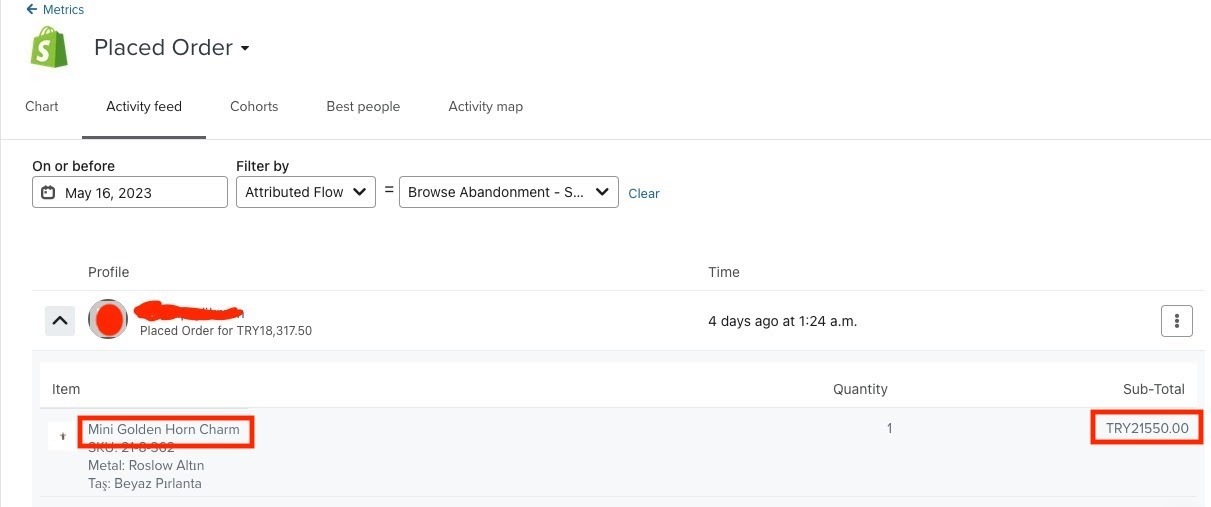
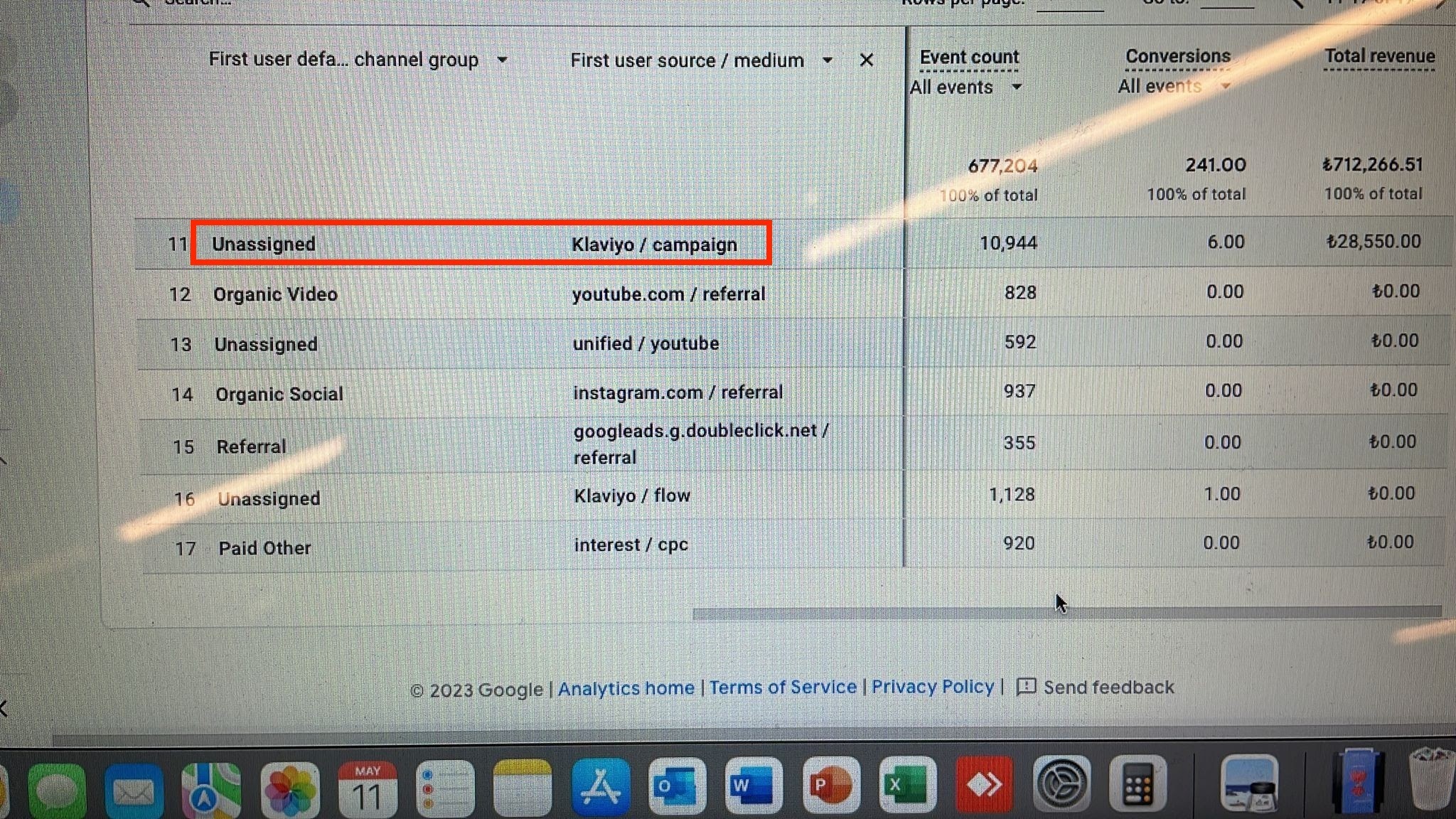
We have an issue with the data coming from Klaviyo. I will try to demonstrate with some screenshots. I can assure you that all the UTMs on Klaviyo correctly working. We have some campaigns have been sent as well as automated flows sending regularly. Though I am able to review campaigns on GA, I cannot see the orders/revenue coming from flows. Plus, it shows the source as "Unassigned". When the revenue comes from Flows it was showing the source as "Direct". However, I resolved this since the problem based on the url ending with "/" slash. Now, this one is fixed but we just got an order from the flow but it shows source/medium as Klaviyo / campaing. It needs to be klaviyo / flow. Also, the rest of the problems still going on.  


And then I will explain what I go through currently. 


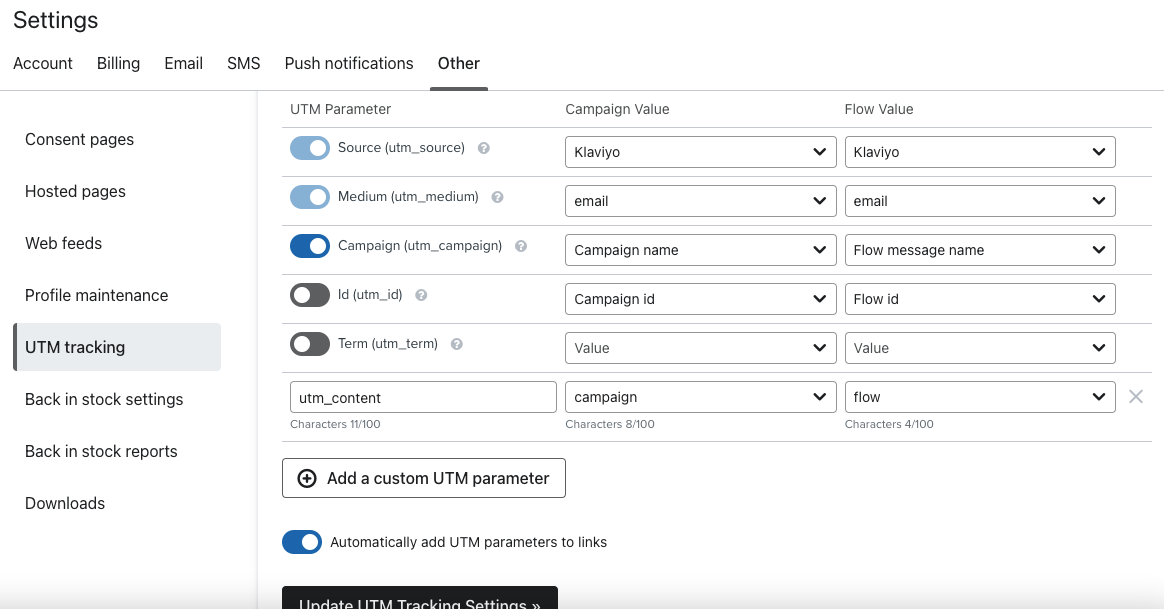
I’ve just changed the default UTM’s by referring to these 2 topics. You can see the default UTM settings on our account. Is that set up correctly or i need to change anything again? By the way it will be now applied to the all flows I already created? I just switched off the configure - Customize Tracking Parameters on the flows’ messages. I was wondering if I need to apply these to the all flow messages?


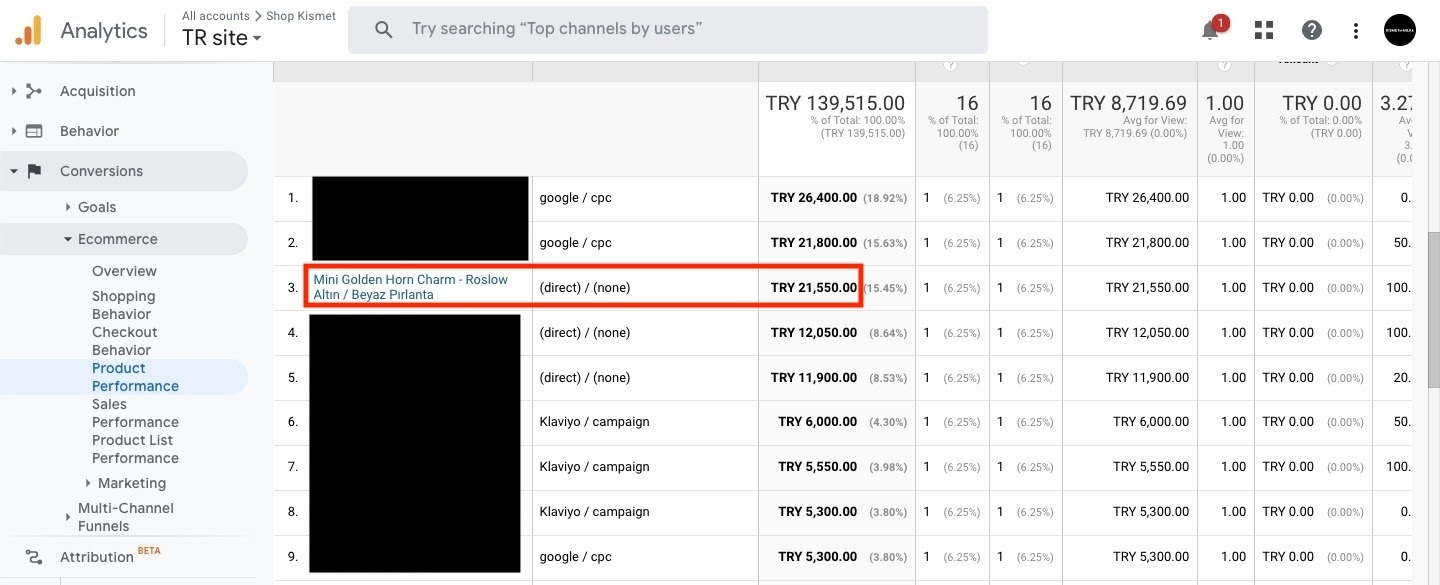
There is still discrepancies between GA and Klaviyo. We got 2 orders coming from Abandoned Card Flow - Checkout Triggered. Normally Klaviyo say it’s coming from Klaviyo when I checked them out. However, when I go over on GA it seems the purchases coming from Direct. 


I am really confused and need to figure this out which is really important for us in terms of reporting.

Can someone enlighten me pertaining to these issues we’ve been through?


Looking forward to your replies.


Best,

This topic has been closed for replies.
Best answer by Akers Digital

Hey everyone,

A few things I am seeing here. On the GA4 side, Google will put sessions into the default channel groupings based on the medium. My guess is that Google doesn’t know what the medium of “campaign” or “flow” is which is why it’s being included in the unassigned channel. 

You have two choices here:

  1. Change your UTM parameters in Klaviyo so that medium equals “email”. Then add additional UTM’s to separate campaigns vs flows.
  2. You can go into your default channel groupings within GA4 and add mediums of “flow” and “campaign” to the email channel. This way GA4 will pull those mediums into the correct channel.

In terms of discrepancies between Klaviyo and GA4, this is going to happen. Google Analytics traditional used a Last Non-direct Click attribution. Meaning the last non-Direct click received the credit for the conversion. If someone opened and email, clicked on it, then an hour later Google’ed your website and purchased, organic search would get the credit. GA4 now has the ability to select your own default attribution model as well. 

Klaviyo looks at thing a little differently, giving credit to people who clicked or opened an email, then later purchased, no matter what the source of the final session was. 


Does this help at all?

25 replies

Contributor III
October 6, 2023

I am also experiencing similar issues. Thanks @CC_ArdMoor  for sharing a screenshot of your UTM parameter settings. I’ve mimic these. 

Are you able to share a screenshot of your channel group settings? I am a little confused. I thought @Akers Digital had mentioned to set the channel settings “medium” to = “email” like the below

however now that my utm parameter settings in Klaviyo has medium set to campaign or flow I am confused!


Thanks 

October 25, 2023

Did anyone get a response regarding how to see which flow message generated the revenue as I am also having a big issue with this at the moment?


My utm_medium is set to email and everything pulls into GA4 correctly except for the session campaign of flows. Actual email campaigns are fine and I can see which of my weekly campaigns is pulling through correctly, but my flow emails are not.

Contributor III
October 25, 2023

@BMBecky I fixed the issue by creating a new channel group in GA4

Contributor IV
October 25, 2023

My issue turned out to be thresholding - as anything less than 50 sessions gets estimated by GA4.  This article helped me  https://www.analyticsmania.com/post/thresholding-applied-in-google-analytics-4-do-this/

Contributor IV
October 25, 2023

I am also experiencing similar issues. Thanks @CC_ArdMoor  for sharing a screenshot of your UTM parameter settings. I’ve mimic these. 

Are you able to share a screenshot of your channel group settings? I am a little confused. I thought @Akers Digital had mentioned to set the channel settings “medium” to = “email” like the below

however now that my utm parameter settings in Klaviyo has medium set to campaign or flow I am confused!


Thanks 

Hi Gemma


I’ve changed my medium to email too - as when I had it set as Klaviyo I had a large segment of unnasigned in my default channel group.   Has creating a new channel group worked for you - I didn’t get it to work for me?