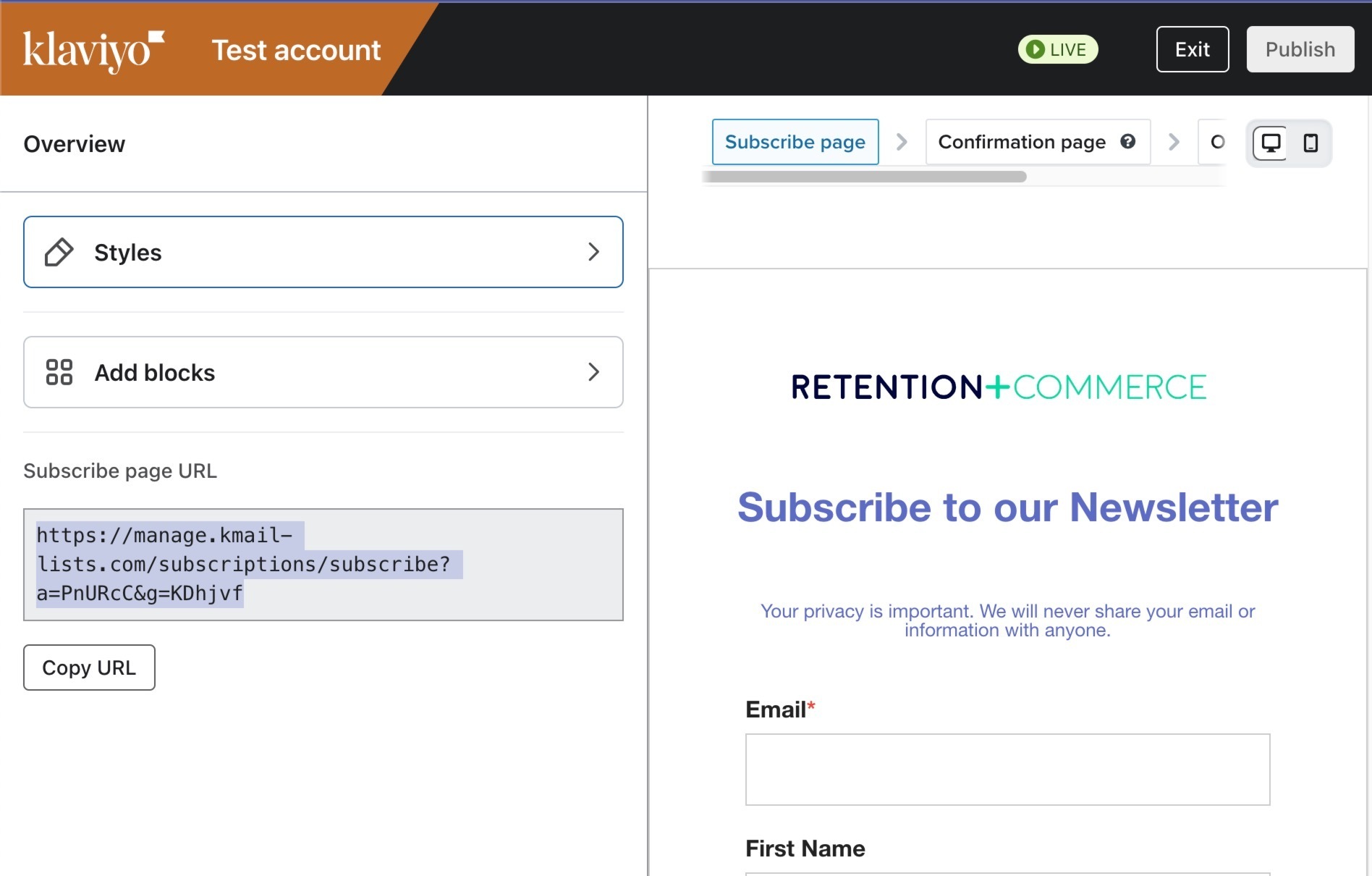
Every List has a subscribe page, this is hosted by Klaviyo and you have some basic formatting and styling editor to match your brand aesthetics. If you go to your List → Subscribe & preferences pages → Subscribe Page → Edit
You can copy the Subscribe Page URL here:
Then you can convert that URL to a QR Code (or use a link shortener/redirect tool).
Embed a Klaviyo Signup Form
Another approach is to embed an email signup form on a mobile friendly page on your website. And then create a QR Code that points to that URL on your site.
Every List has a subscribe page, this is hosted by Klaviyo and you have some basic formatting and styling editor to match your brand aesthetics. If you go to your List → Subscribe & preferences pages → Subscribe Page → Edit
You can copy the Subscribe Page URL here:
Then you can convert that URL to a QR Code (or use a link shortener/redirect tool).
Embed a Klaviyo Signup Form
Another approach is to embed an email signup form on a mobile friendly page on your website. And then create a QR Code that points to that URL on your site.
Hello, jumping on the topic here. Is there any way to use the sign up page link in a QR code as mentioned above and be able to track the sign up source?
If you are using the subscribe page for a list, there won’t be a more granular way to figure out that they came to the list via QR code specifically, they’ll just be added to the list in general.
However, if you want to track that subscribers came into the list via QR code specifically, I’d suggest using the second option Joe suggests above, which is using an embed form on a dedicated page and sending your QR code subscribers there to sign up. The reason is because you can add a hidden property on a Klaviyo form that can say ‘QR code signup’ so you can differentiate how these users came to be subscribers specifically.