

Question about Installing Page View Tracking Snippet
Dear Klaviyo Support Team,
Hope you’re doing well.
We are currently trying to implement page view tracking based on the following guide:
https://help.klaviyo.com/hc/en-us/articles/360059075151
However, we are a bit unclear about some of the implementation steps, and would appreciate your guidance.
1. About “Installing the snippet”
According to the guide, we need to copy and paste the complete snippet into our page files.
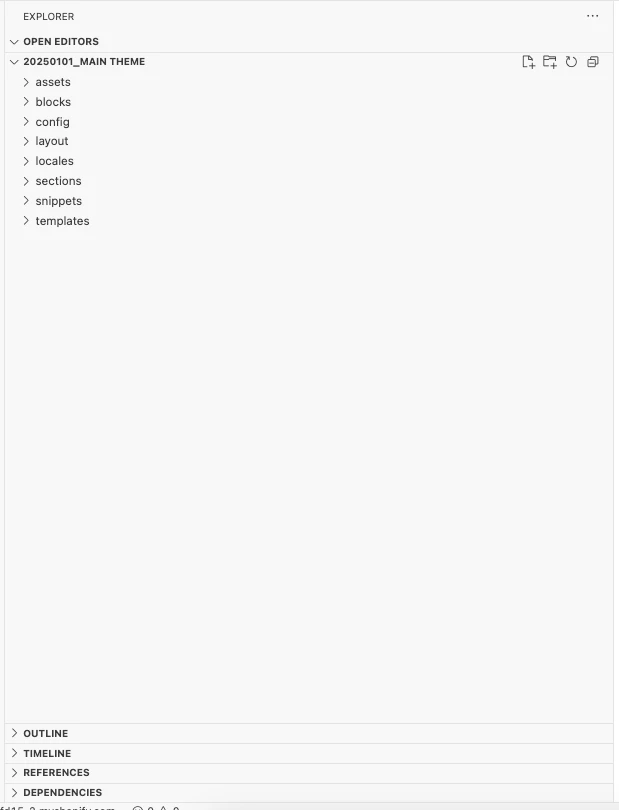
Since we are using Shopify, we see multiple theme code files available.
Could you please advise:
-
Which specific file or section we should insert the snippet into?
-
For example, if we want to track this product page:
https://www.teachateau.com/products/dendrobium-lemon
which theme file would be the correct one to edit?
2. About “Track Viewed Page by URL”
The guide mentions adding a script for tracking page views by URL.
Could you please clarify:
-
Where exactly should this script be added within our Shopify theme?
-
Should it be placed in a global file (e.g., theme.liquid), or within specific page templates?
We want to ensure the tracking is implemented correctly across our site.
Thank you very much for your support.
Looking forward to your reply.
Best regards,
TEA CHÂTEAU