Contributor III
October 29, 2025
Solved

Time stamped consent from klaviyo form - help needed please!

  • October 29, 2025
  • 4 replies
  • 161 views

Hi Everyone,


I’m really hoping someone can help. I’m sending over some email addresses that have opted in for marketing comms, and I’ve been asked to send over a time stamp of when each person opted in.

Entries  along with consent were managed by an online form.  I’ve used the logic below and the time stamp seems to respond to when people signed up when I check their profiles - however my list is now 40 people short of the original opt in list and I can’t work out why! Can someone please help explain? 


Many thanks in advance for your help



    Best answer by retention

    Hi ​@User 1990,

    As both ​@Stylo Global and ​@cadence mentioned, duplicates won’t be counted more than once and it’s possible that someone signed up (subscribed/consented) through other means.

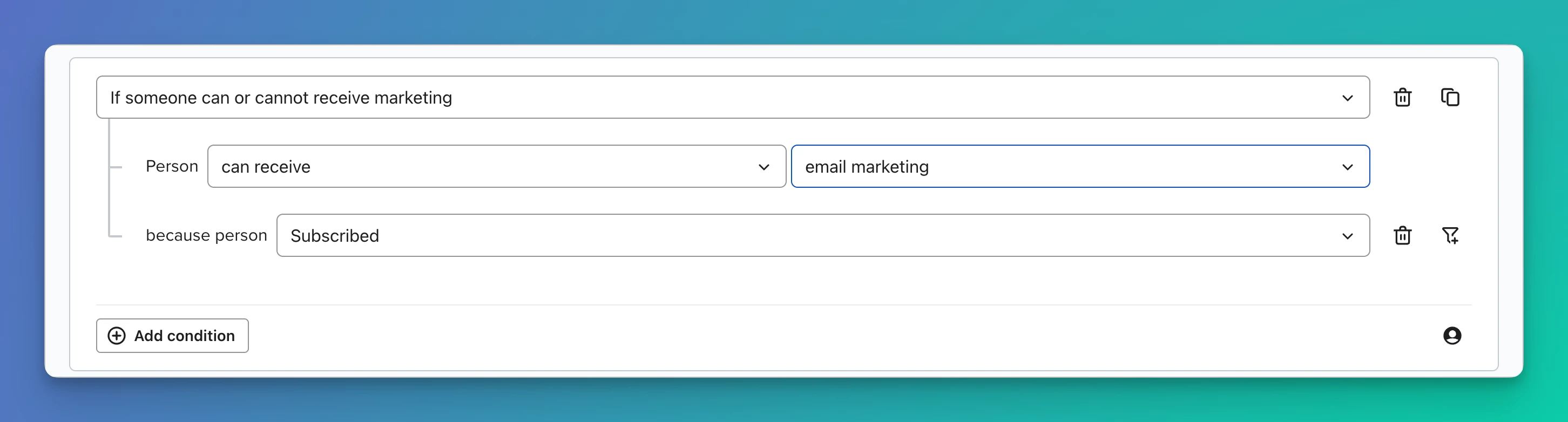
    If you just want a list of all people who consented, then you can build a Segment like this:

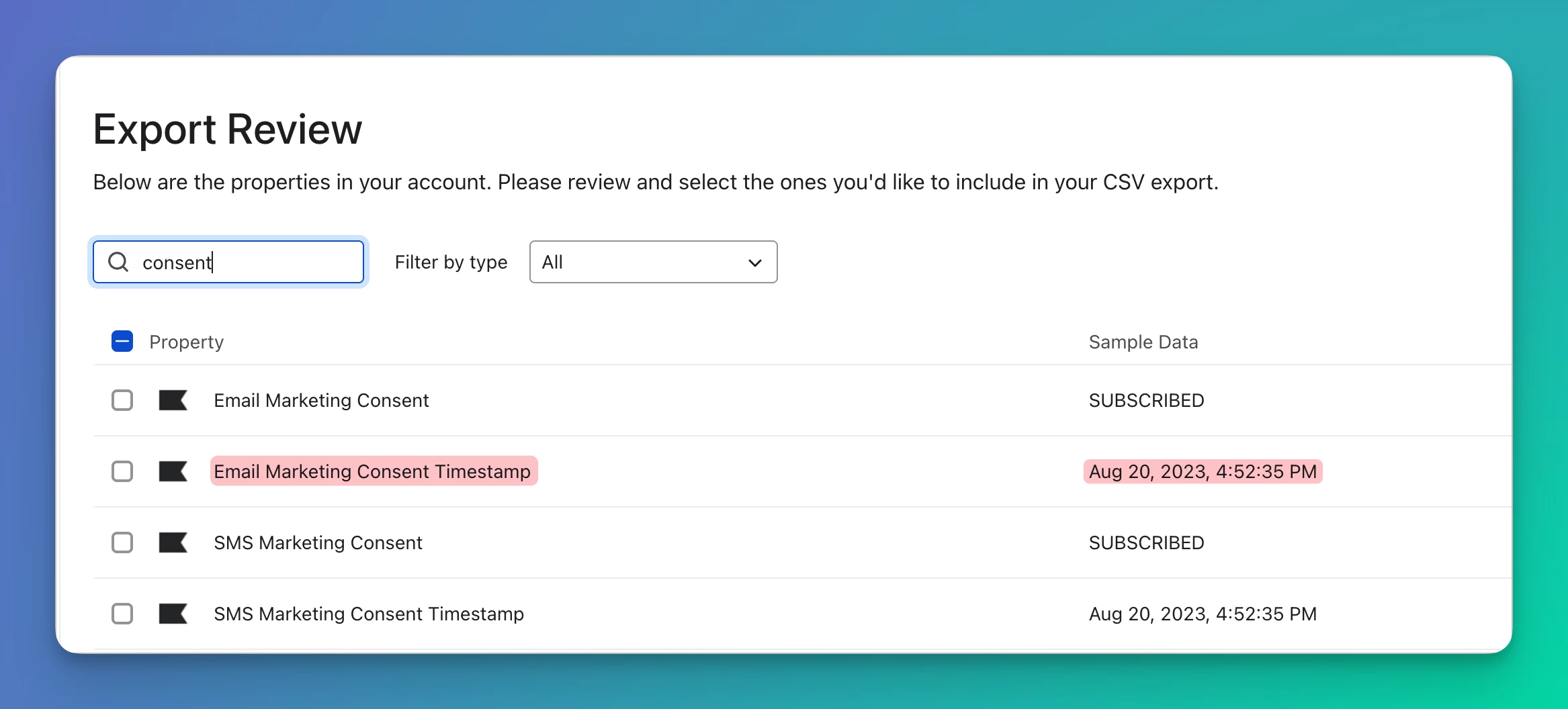
    That should pull all the emails that have consented, then you can export that Segment with the selected fields that shows the timestamp of when they consented.

    Hope that helps!

    4 replies

    Kim from Cadence
    Partner
    Partner
    October 29, 2025

    Hey @User 1990 


    Are you sure your original list didn’t have any duplicates? That could be a reason you’re seeing fewer profiles. 

    Have you checked this guide for some of the common troubleshooting tips on list imports? https://help.klaviyo.com/hc/en-us/articles/115005078807

    One other thought I have — if these profiles have unsubscribed more recently than the consent timestamp you imported, I’m not sure these profiles would be re-added to the list.

    You might export the list + try to figure out which profiles are missing + look at those profiles directly in Klaviyo UI to try to debug further

    Kim — Founder @ Cadence | Helping brands automate recurring campaigns (daily, weekly, monthly) | Happy to connect! | https://cadencecampaigns.com
    Stylo Global
    Problem Solver I
    Problem Solver I
    October 29, 2025

    Hello ​@User 1990 

    You’re on the right track — your setup is working fine! The reason your list is 40 people short is likely because not everyone opted in through that same consent form. Your filter only shows people with that specific form ID, so anyone who signed up another way (like a different form, import, or pop-up) won’t appear.

    Try checking a few of the missing contacts — if they don’t have that $consent_form_id, that’s the reason. You could also look for another field like “date added” or “consent timestamp” to capture everyone.

    Nothing’s broken — it’s just filtering very specifically.

    Would you like me to show you how to adjust the filter to include all opt-ins? Contact me on telegram @zionchild00

    Best Regards

    Stylo Global Expert

    gracetiti1996@gmail.com, @zionchild00
    retention
    Partner - Platinum
    retentionAnswer
    2025 Champion
    October 29, 2025

    Hi ​@User 1990,

    As both ​@Stylo Global and ​@cadence mentioned, duplicates won’t be counted more than once and it’s possible that someone signed up (subscribed/consented) through other means.

    If you just want a list of all people who consented, then you can build a Segment like this:

    That should pull all the emails that have consented, then you can export that Segment with the selected fields that shows the timestamp of when they consented.

    Hope that helps!

    Joseph Hsieh // retentioncommerce.com // X: @retention
    Byrne C
    Community Manager
    Community Manager
    November 3, 2025

    Hi ​@User 1990,

    I wanted to quickly chime in and mention that every time somebody signs up via a new sign-up form, their $consent_form_id property is changed to that of the new form they signed up with. So somebody could sign up using one form, then sign up with another, and their $consent_form_id no longer matches the original sign-up form they used. That might be why you notice 40 profiles missing. Either way, ​@retention’s suggestion above is the way to go!