


Contributor I
April 20, 2026
Solved

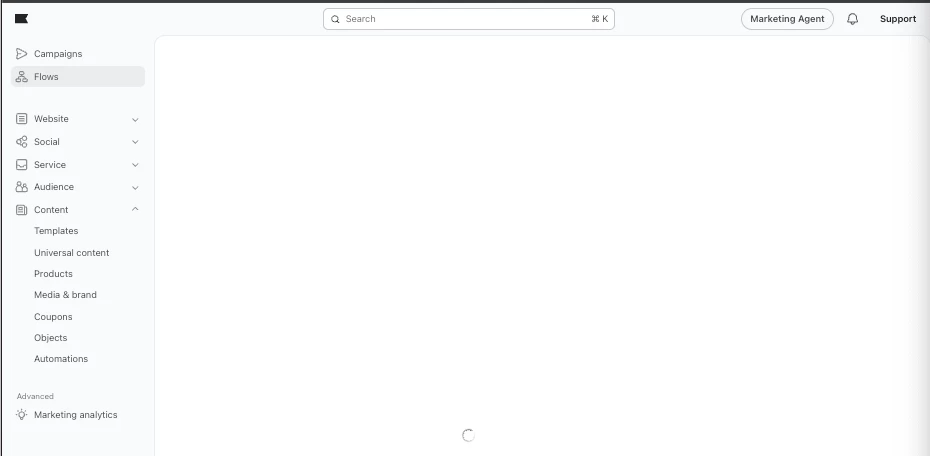
Flows page is stuck on loading screen
  • April 20, 2026
  • 3 replies
  • 153 views

I’ve tried:

  • Restarting my laptop
  • Clearing cache
  • Checking for updates on Google Chrome
  • Incognito mode
  • Logging in/out of our Klaviyo account

All did not work. I previously had a content creator permission and has been updated to marketing agent. My client has copied flows into our Klaviyo account for my reference but this is what I see.

    Best answer by Byrne C

    Hi ​@kia-cruz,

    This does appear strange, as content creators should be able to see the flows page. I recommend asking the account owner to remove you completely as a user from the account, and then adding you back. Does the issue persist afterwards?

    If so, our support team might want to have a look at this, so I’d encourage you to reach out to support. If you’re on a free account, feel free to send me a DM on this plaform, and I can create a ticket for you.

    3 replies

    kia-cruzAuthor
    Contributor I
    April 20, 2026

    Bumping my post.

    Byrne C
    Community Manager
    Byrne CAnswer
    Community Manager
    April 22, 2026

    Hi ​@kia-cruz,

    This does appear strange, as content creators should be able to see the flows page. I recommend asking the account owner to remove you completely as a user from the account, and then adding you back. Does the issue persist afterwards?

    If so, our support team might want to have a look at this, so I’d encourage you to reach out to support. If you’re on a free account, feel free to send me a DM on this plaform, and I can create a ticket for you.

    Problem Solver I
    June 22, 2026

    Try having the account owner remove you completely and re-add you as a Marketing Agent. Role changes can sometimes fail to refresh properly. If it still doesn’t work, Klaviyo Support will likely need to check the account permissions.